UNIVERSITY OF WASHINGTON // PORTAL DESIGN & SYSTEMS INTEGRATION
120K campus users benefited from continuous improvement
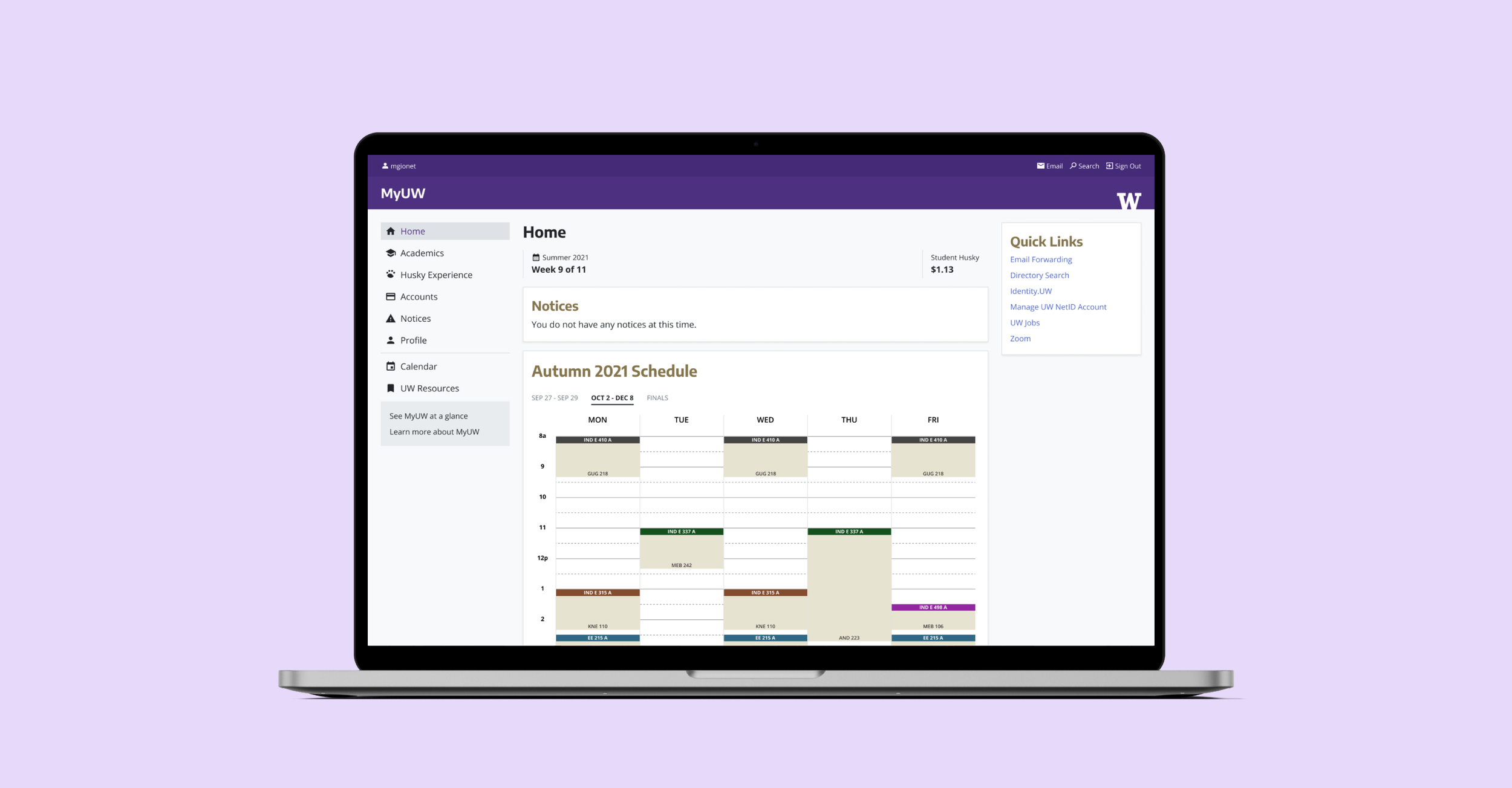
MyUW is the University of Washington's central web portal, serving 120K+ users across 3 campuses in roles like students, faculty, and health workers. It surfaces information and tools tailored to each user's role.
Updates must remain accessible and work within the constraints of decades-deep systems and hardware.
UX DESIGNER front-end design and development, user research with students, interface with departmental stakeholders • Timeline: ongoing
Outcome
There were consistent improvements released to:
Make MyUW more efficient by reducing clicks to resources and improving information architecture. For 60K students who used MyUW twice daily this is significant in aggregate.
Surface data to inform decisions made by students and faculty. This involved pulling data from across various systems and utilizing existing frameworks.
I saved engineer effort and shortened time to launch by designing and building front-end code for engineers for production use.
WHAT WAS BUILT
Fewer clicks to common tasks
60,000 students use MyUW twice a day. Other users use it many times a week.
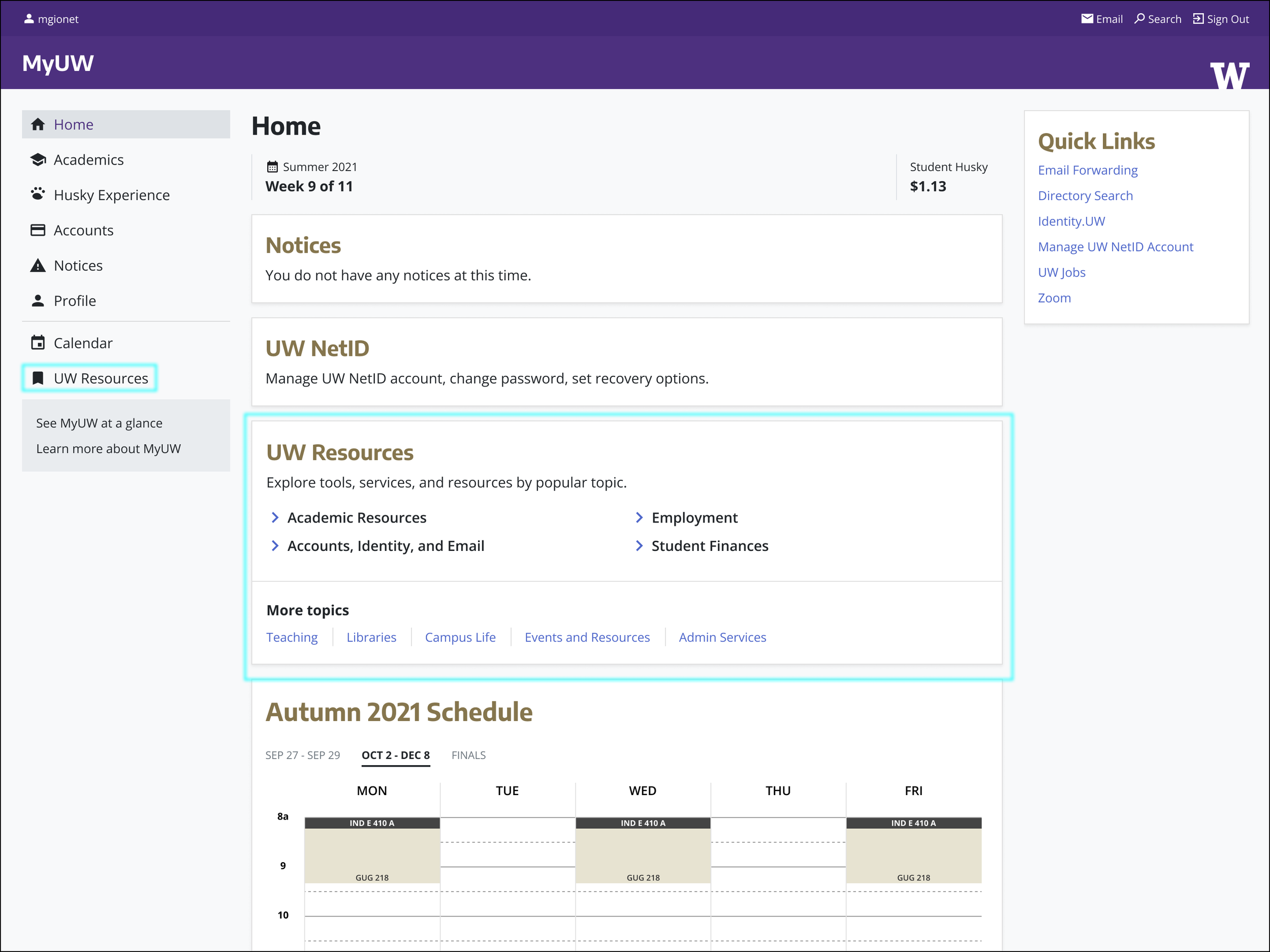
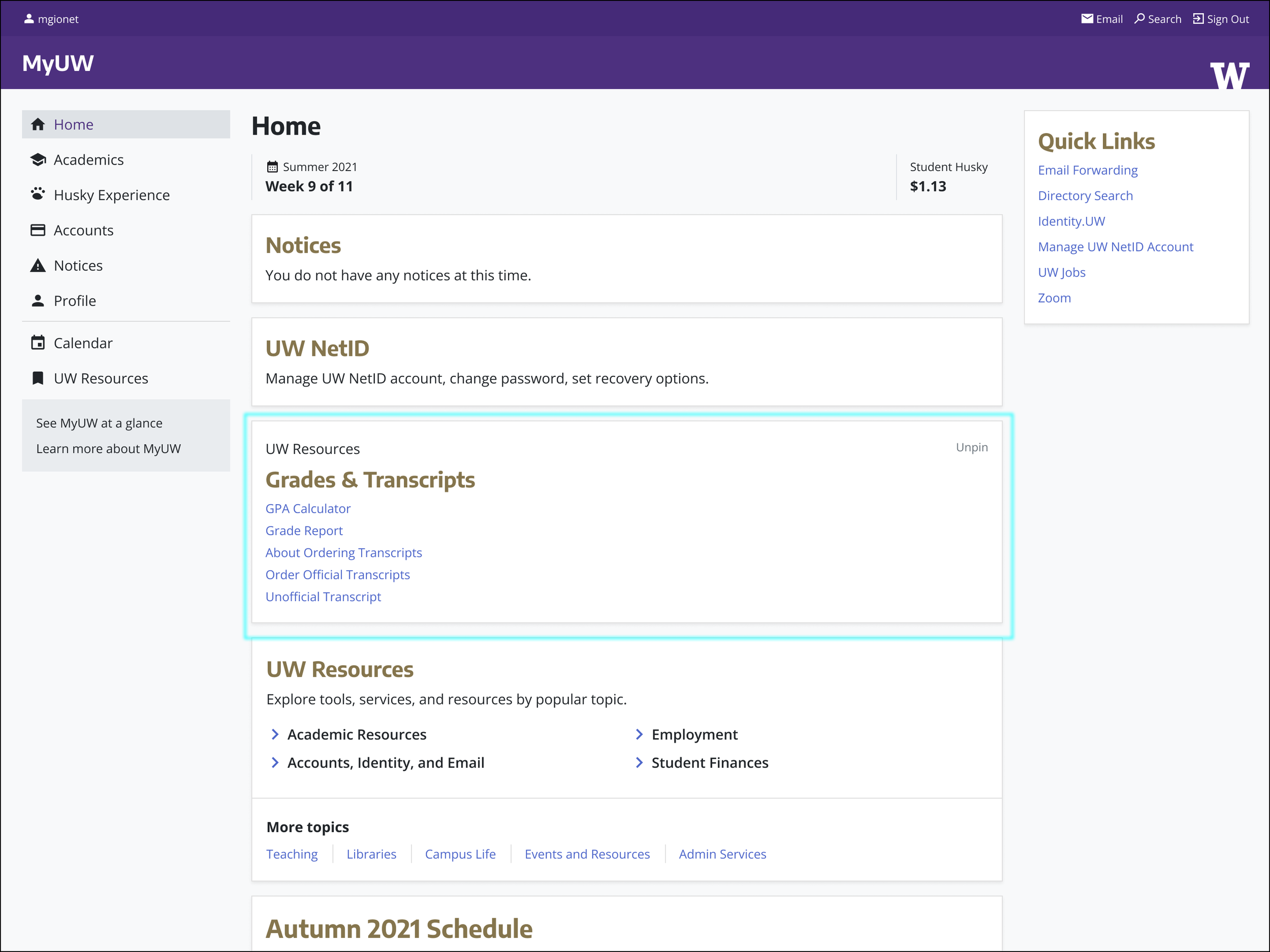
I designed UW Resources based on user data and IA research to make the portal more efficient. Users can personalize their most frequently used resources.
1/3— Users can access UW Resources from the left-hand navigation, or at the bottom of the page. The bottom card provides direct links to top sections.
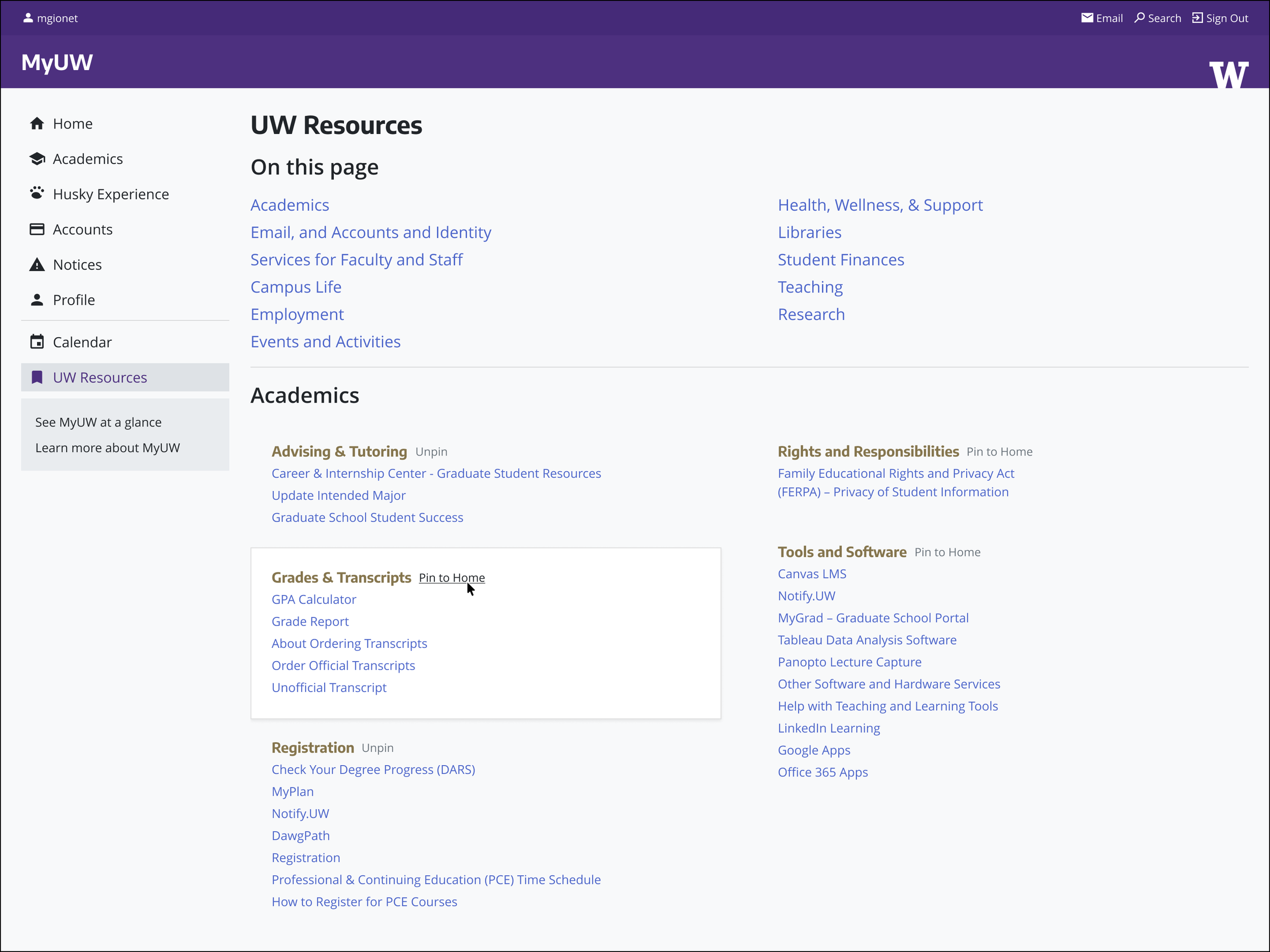
2/3 — On UW Resources, section of resources are intuitively organized. Beside section headers, a user can pin segments to their homepage by clicking “Pin to Home”
3/3 — Users can then access pinned sections on their homepage as it appears below mandatory information.
Provide faculty information to improve courses
Previous course data was either distributed among other systems, or was not available. By surfacing course data onto a dedicated page, faculty can see information about students taking their class, past GPAs, and even past graduates from which to canvass teacher assistants.
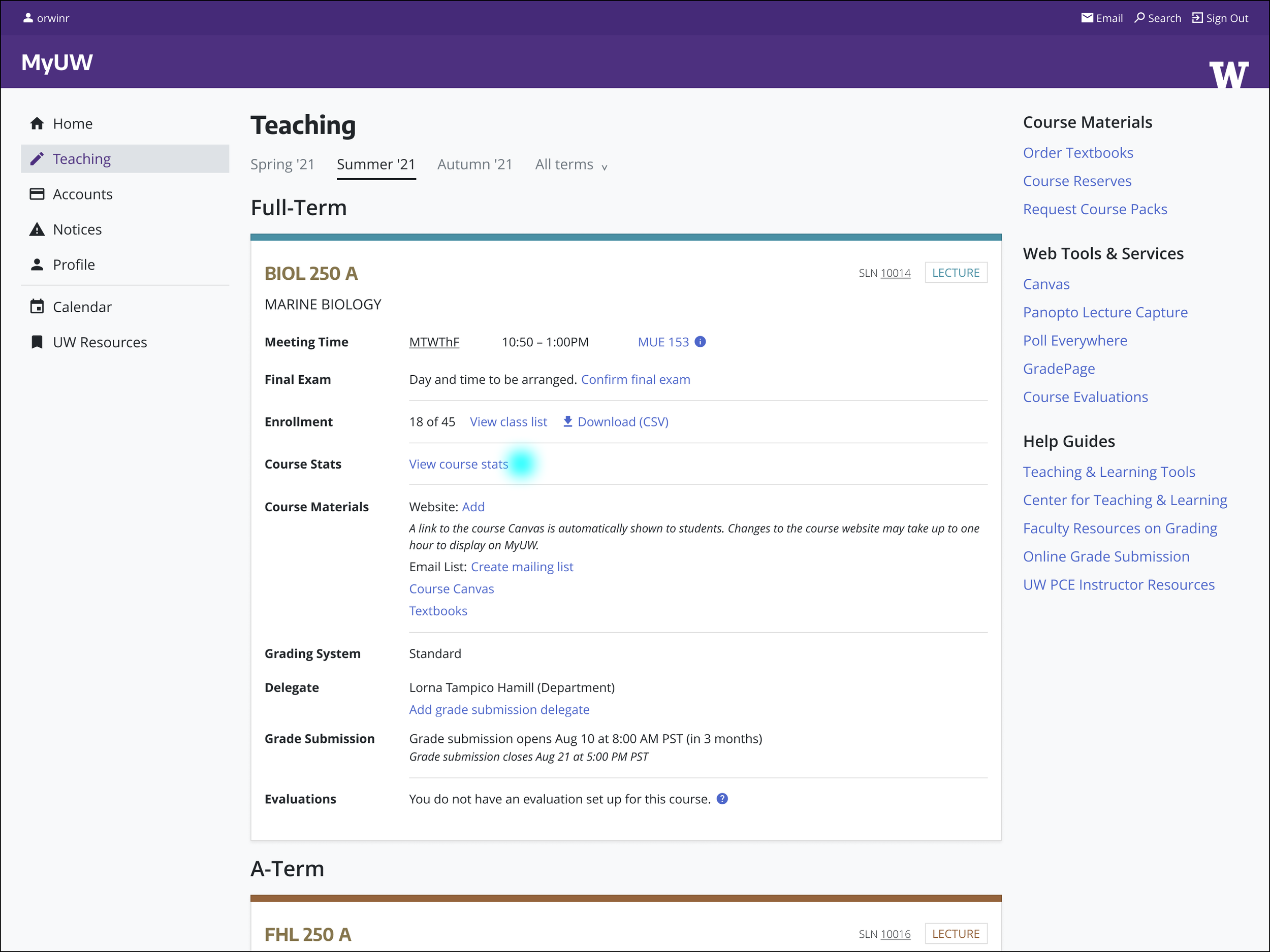
1/3 — On the Teaching page, a faculty user can see the courses they’re teaching. For each course the instructor can click “View course stats”.
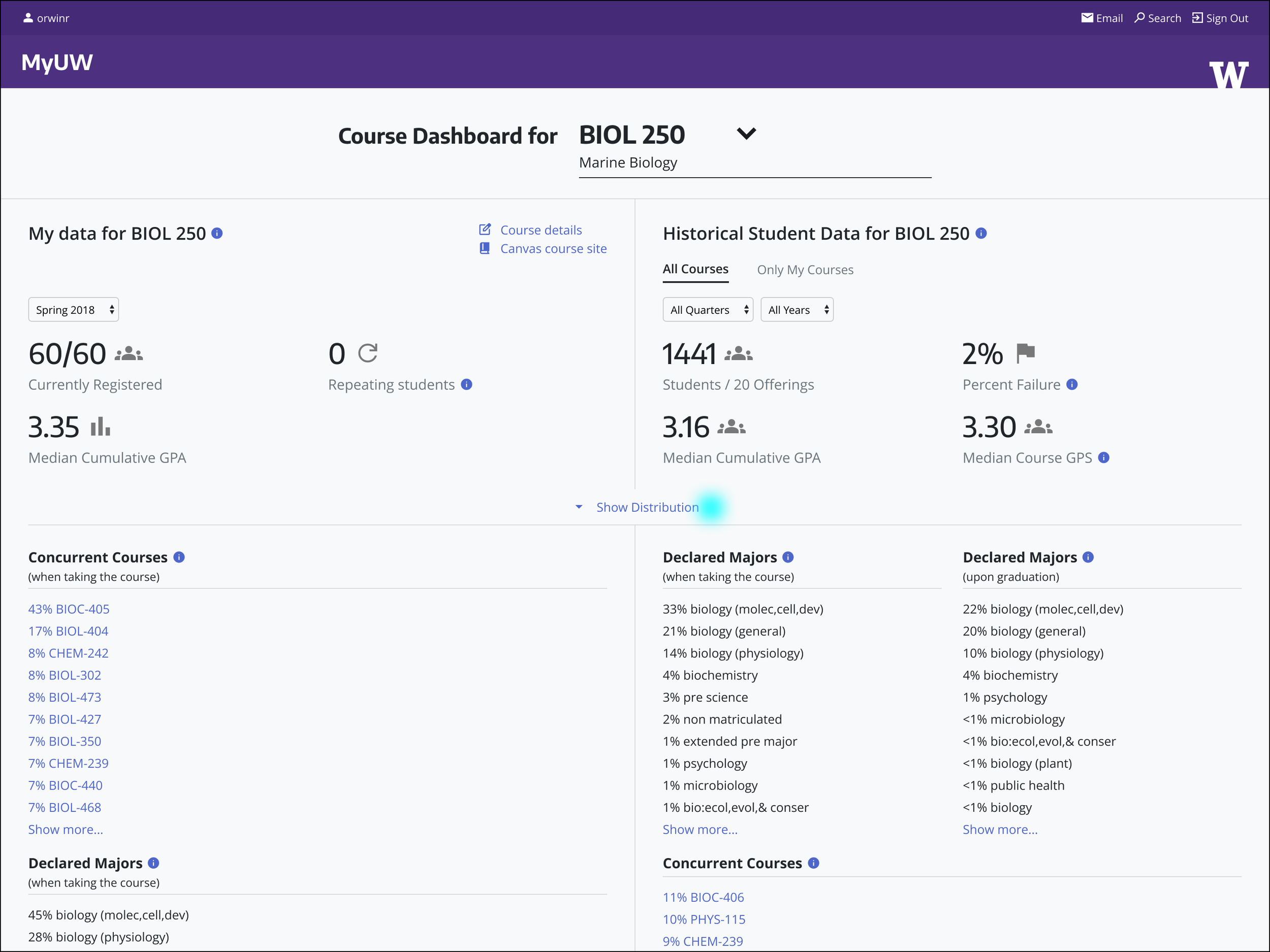
2/3 — A Course Dashboard is brought up for that specific course. An instructor can see their student and course data. Clicking “Show Distribution” provides more GPA detail.
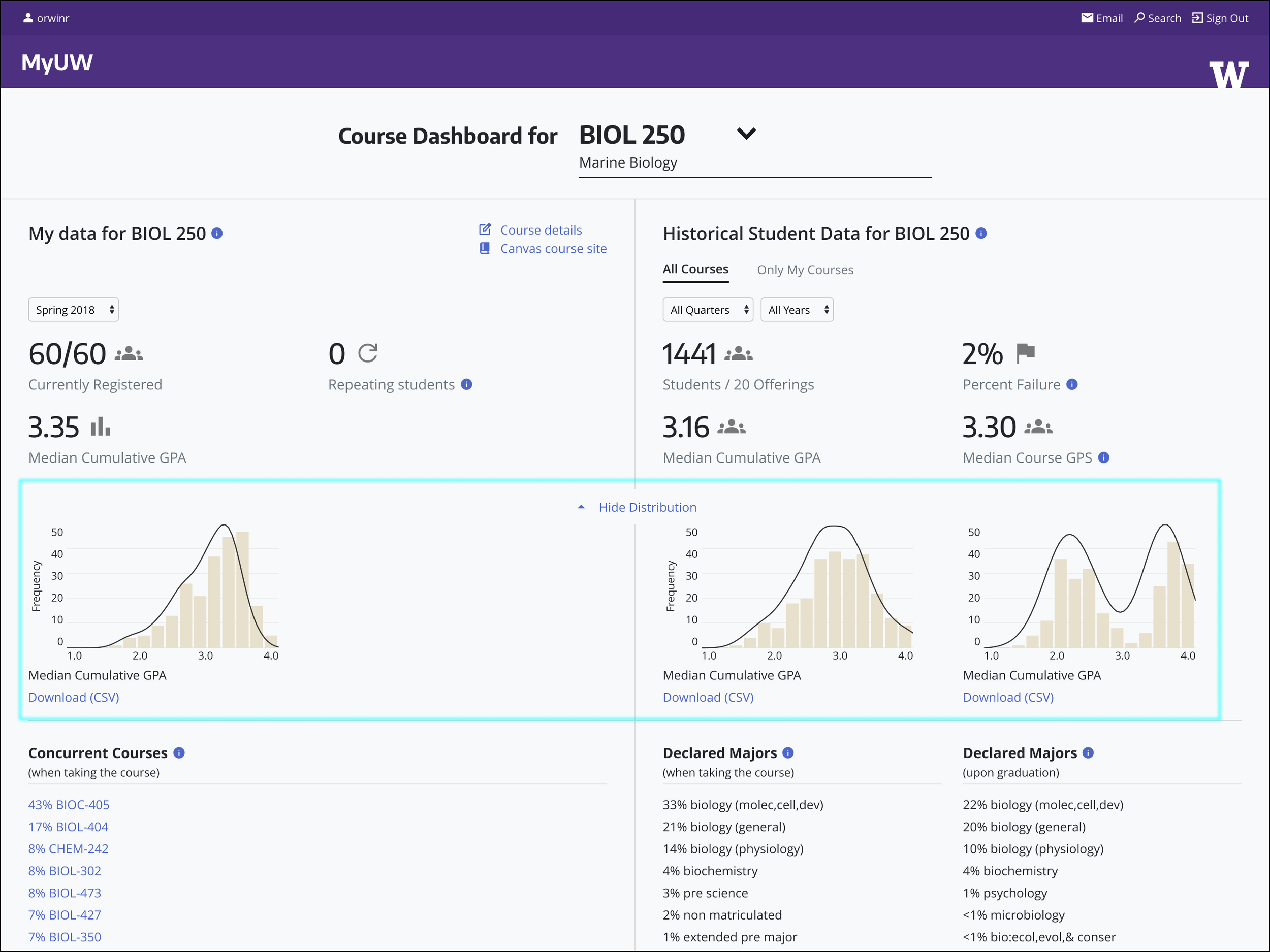
3/3 — When an instructor expands a visual GPA distribution it alongside student majors can inform future offerings.
Provide students easier academic planning
Students used to plan courses and accompanying prerequisites by hand. There were many courses that were in high demand leading to students scrambling for classes and not knowing available alternative paths during their 4 years. I designed and coded the front-end of this single-page app with the team. This beta provided a working tool to test with students.
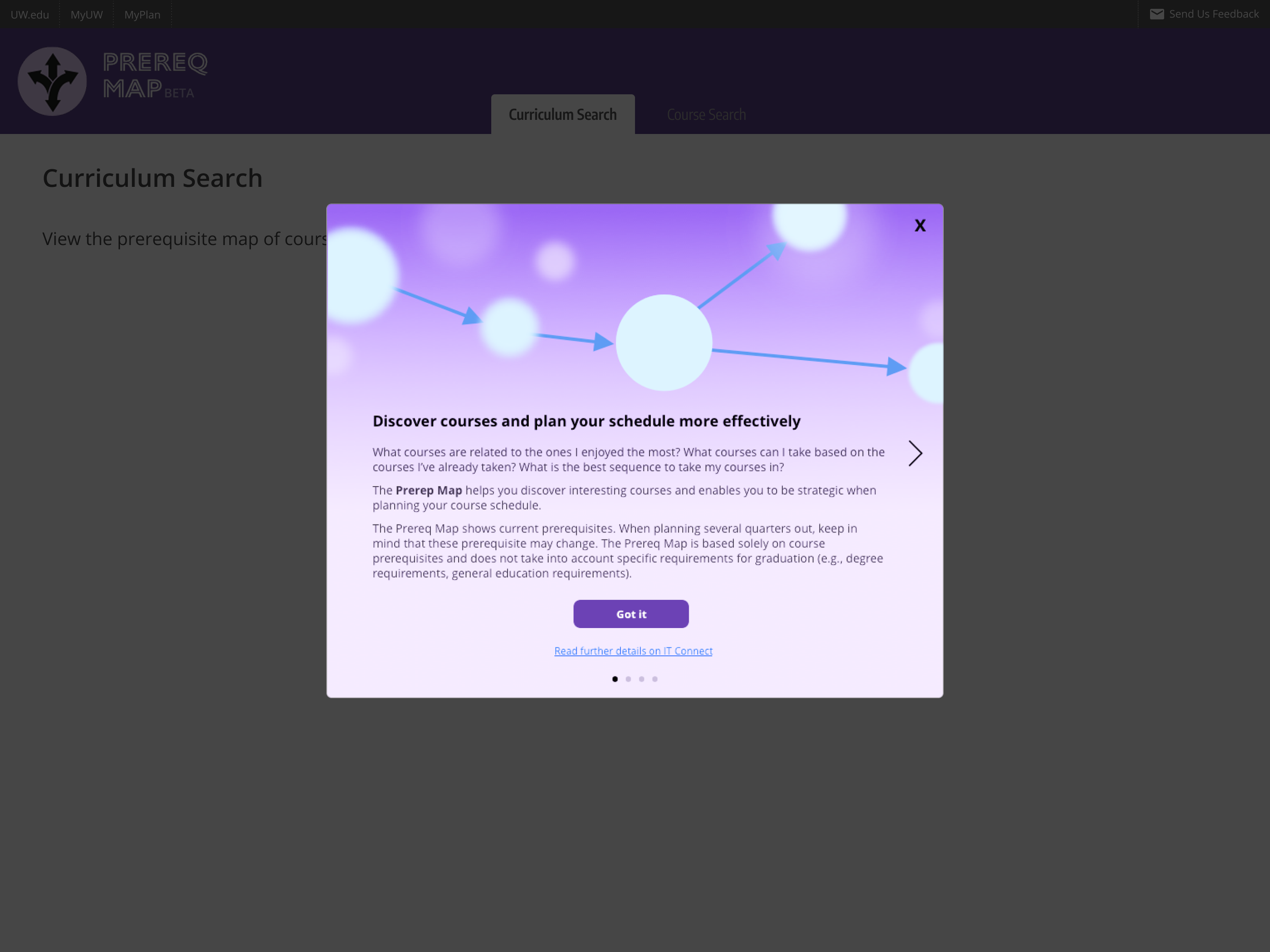
1/4 — When a user arrives on the tool for the first time, they are onboarded.
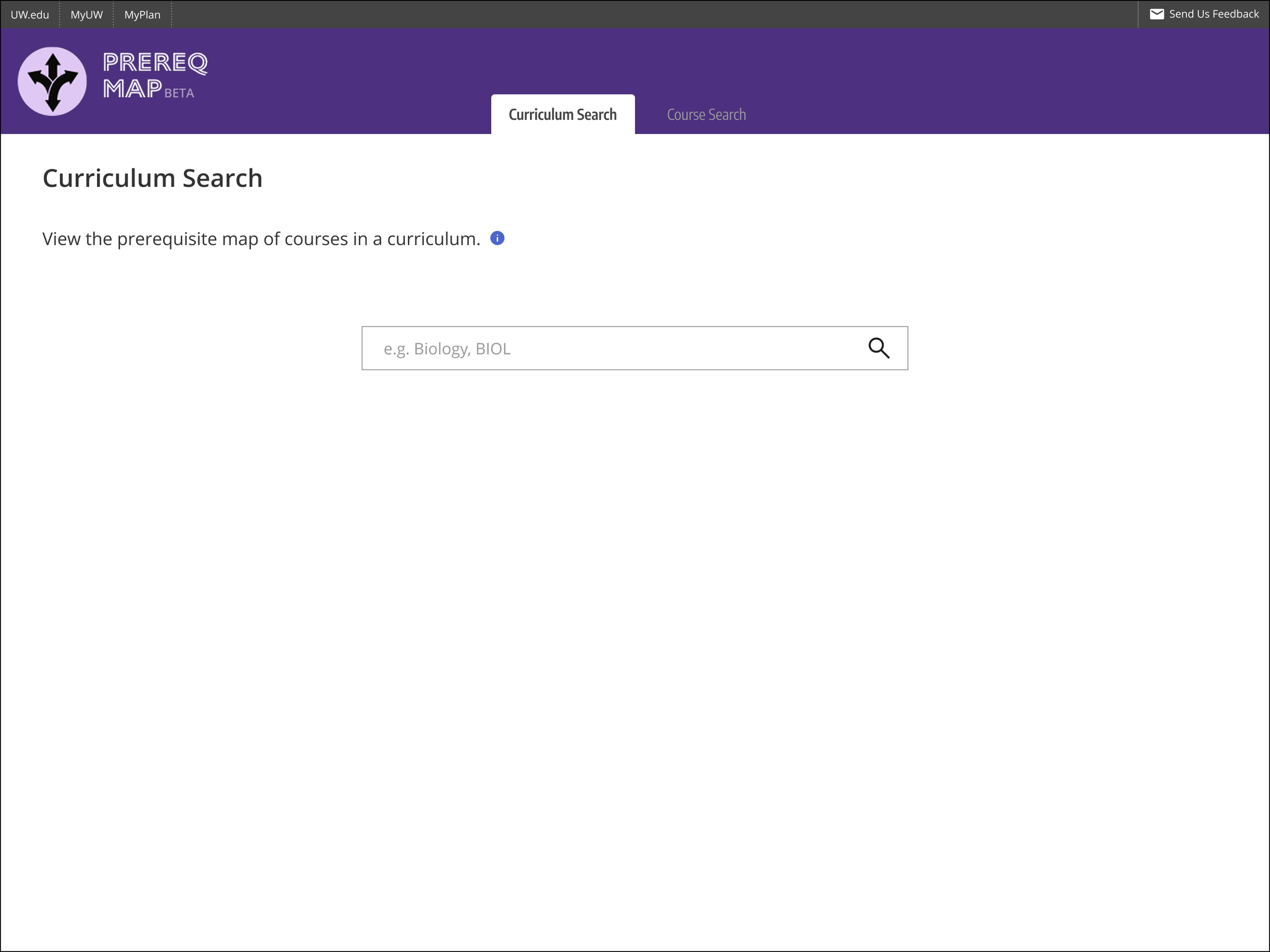
2/4 — A user is defaulted to a general curriculum search first, and has the option for specific course searches.
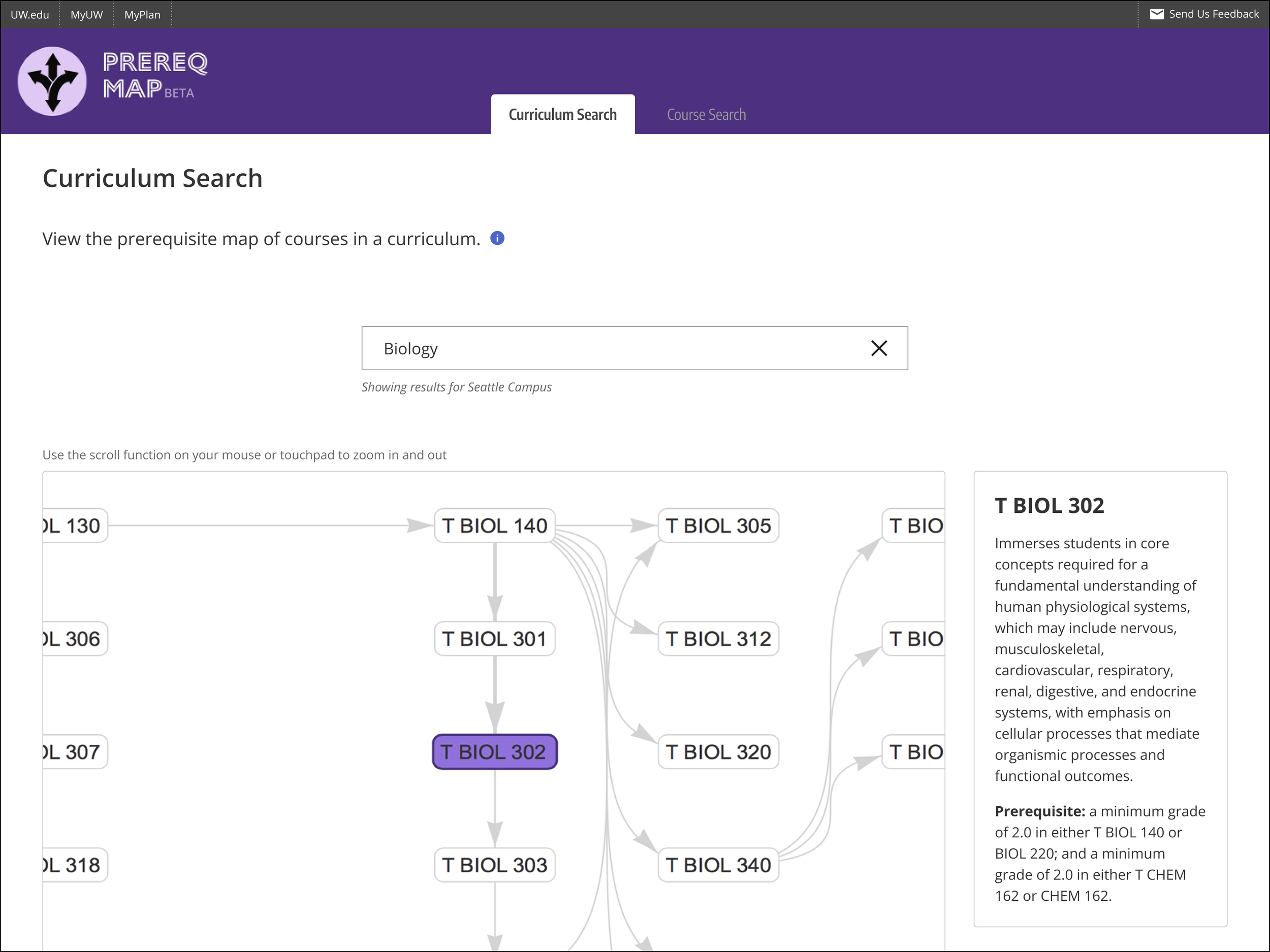
3/4 — When searching a curriculum, the user can pan and see how courses connect to each other. By selecting a course node, the user can read a description.
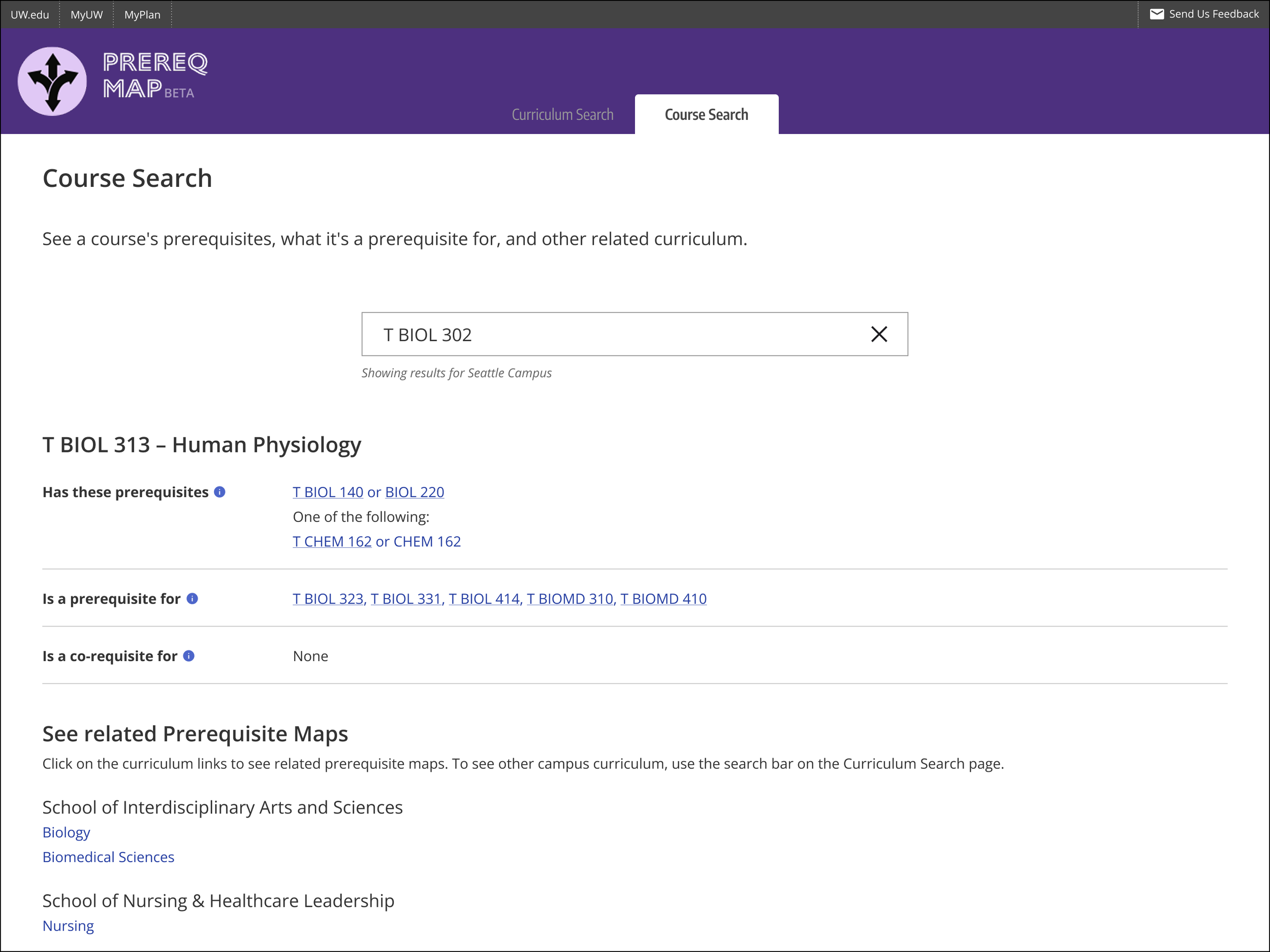
4/4 — A user can get detailed text information by selecting the Course Search tab. This will also provide information to other curricula.
Data displays on any device
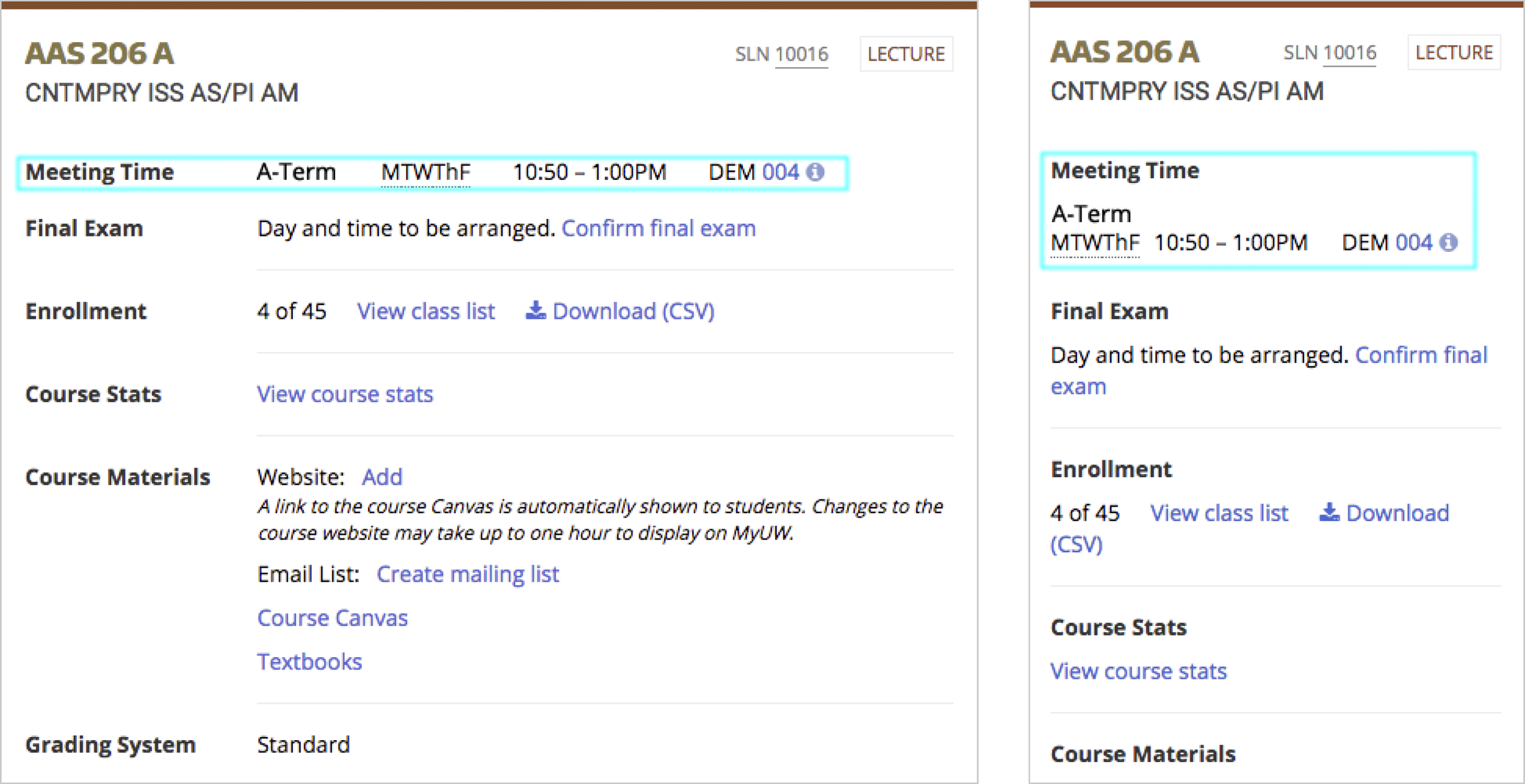
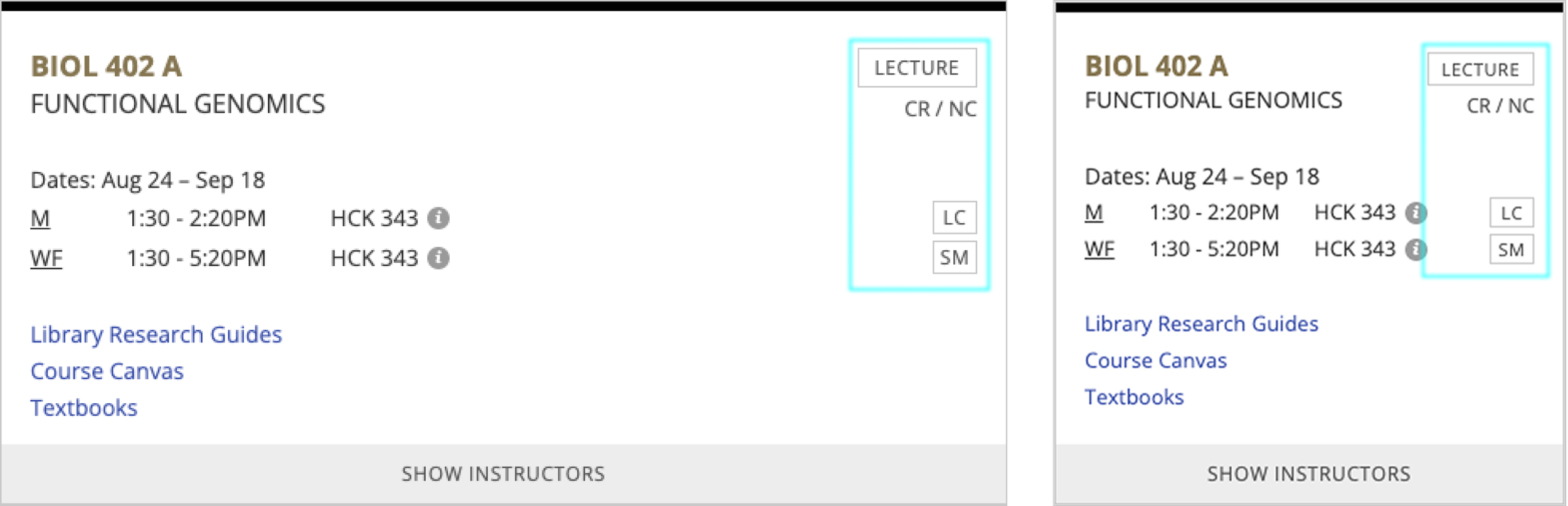
Users can see important information on classes whether on a mobile or desktop computer. I designed and coded course information into existing cards. These displays had to take into account existing environments, legacy infrastructure, and specialized campus workstations.
1/3 — A student user can get detailed information on the format of the course.
2/3— A continuing education student can see when and where their class times are. These students are usually working professionals, and their course times are different than a full-time student.
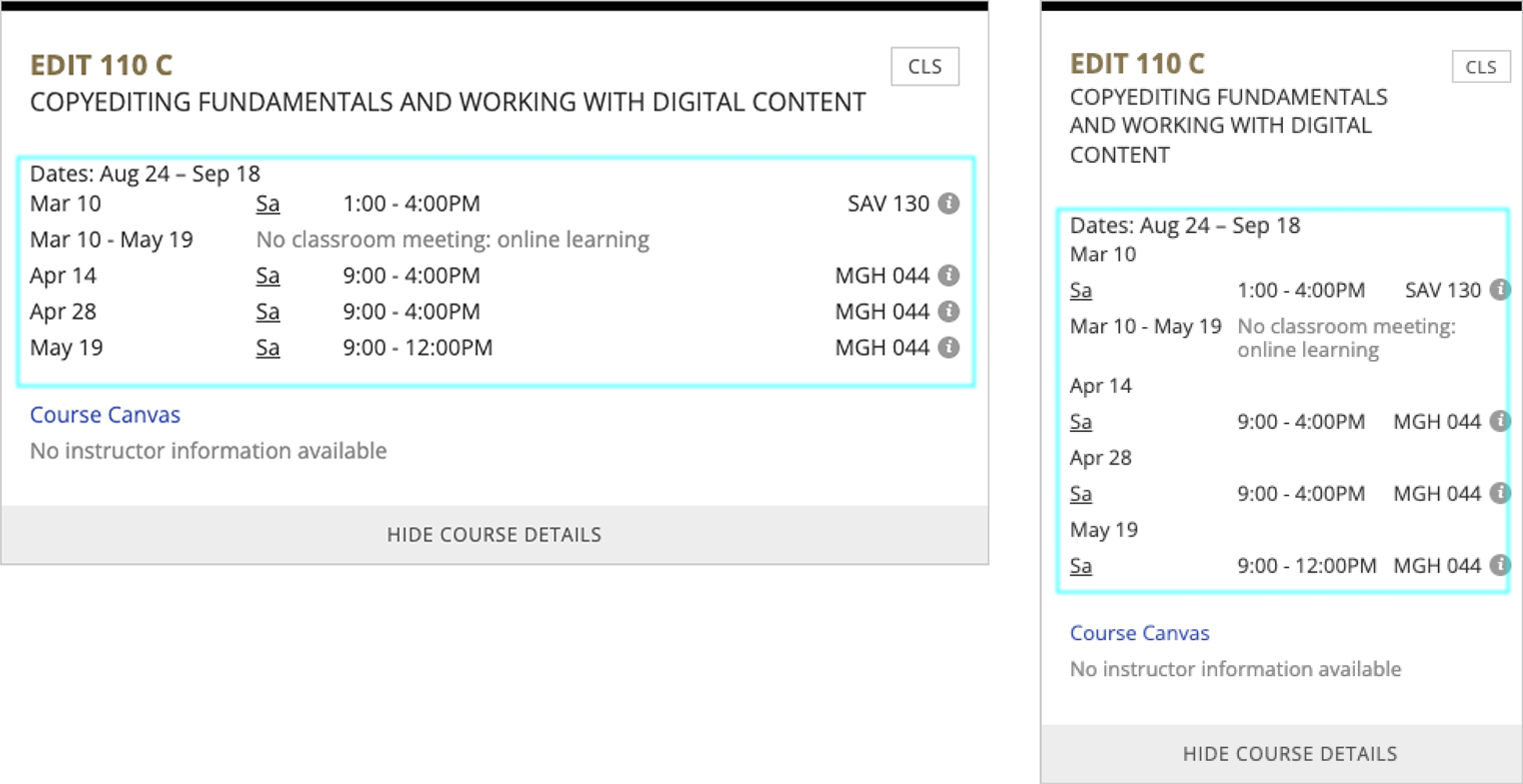
3/3— A faculty user can see times and location for classes when split up into additional terms within a semester.