GETTY IMAGES // CONTENT AND DATA MANAGEMENT
Help creators make and submit content faster, so it reaches customers sooner
Getty Images' upload app (Enterprise Submission Platform, ESP) served 500K contributors uploading 43K images daily, but aging tech was costly to maintain, inefficient, and discouraged new contributors.
The tool needed to be redesigned.
LEAD DESIGNER workshops, user research, design/engineer engagement, experience design • Timeline: 19 months
Outcome
Launched this redesign as a phased rollout over 8 weeks, with 95% using the new app design. There was overall positive sentiment from contributors on community forums, and a foundation was laid for faster deployment of future features.
Improvements included:
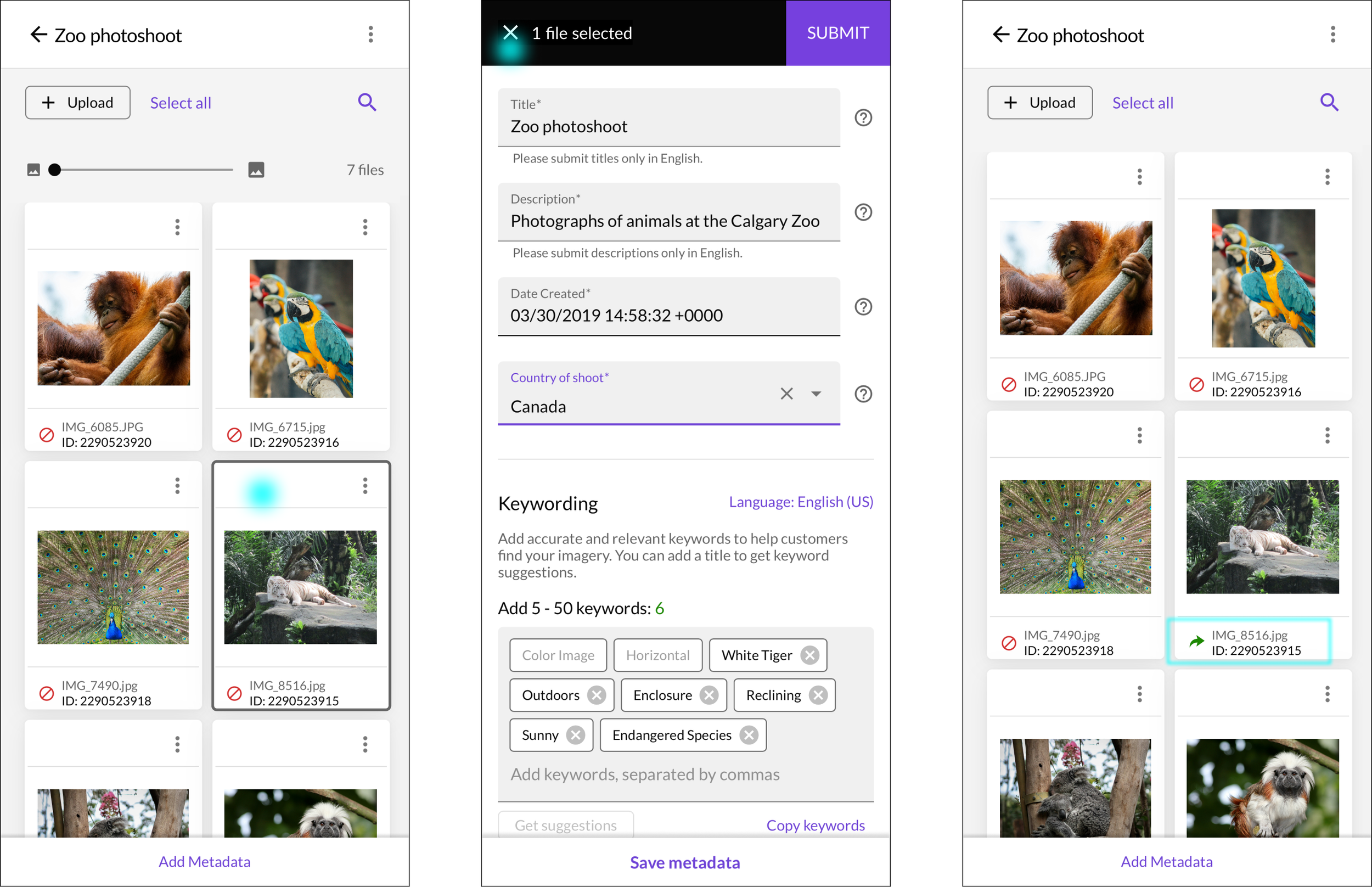
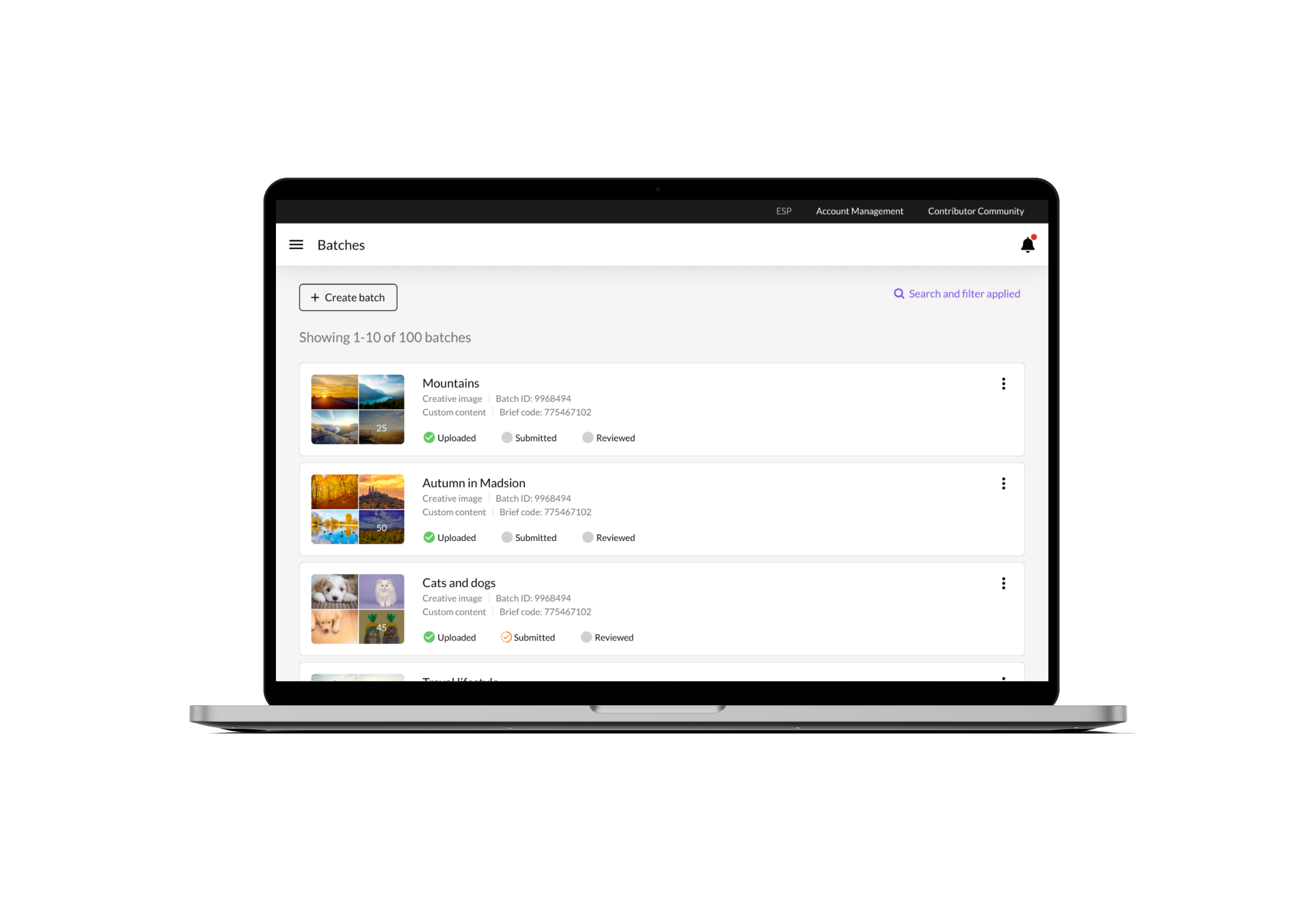
Usable mobile experience. Emerging markets, user-generated content, and breaking news may require uploads from phones, but uploading was impractical on the old tool. This new experience was built for responsive and there was a 56% increase in mobile use.
Manual support tickets decreased 4% by updates to info displays to the image grid during keywording process.
Reduced keywording from 6 cycles to 1 based on an average part-time creator who uploads 15K images annually.
Guided experiences for the actions contributors needed to take in order to submit their content.
WHAT WAS BUILT
More efficient upload and metadata process
Redesigned the content submission system to guide contributors of all experience levels and streamline adding metadata. This freed up creation time and increased supply flow into Getty Images' libraries for customer search. Users were new and experienced creators, or partners specifically tasked with uploading.
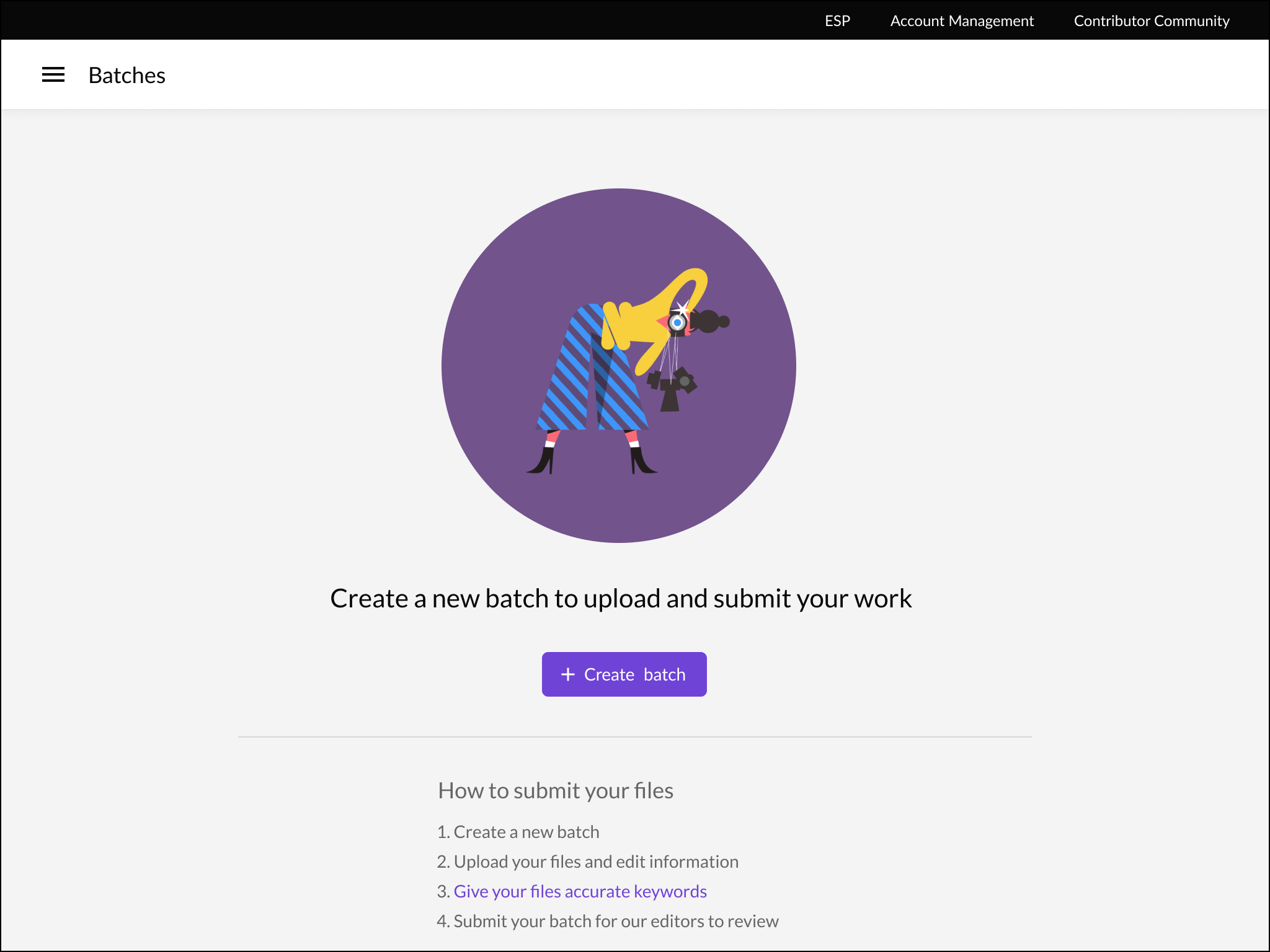
1/6 — New users are greeted with clear and simple instructions to get their first batch started.
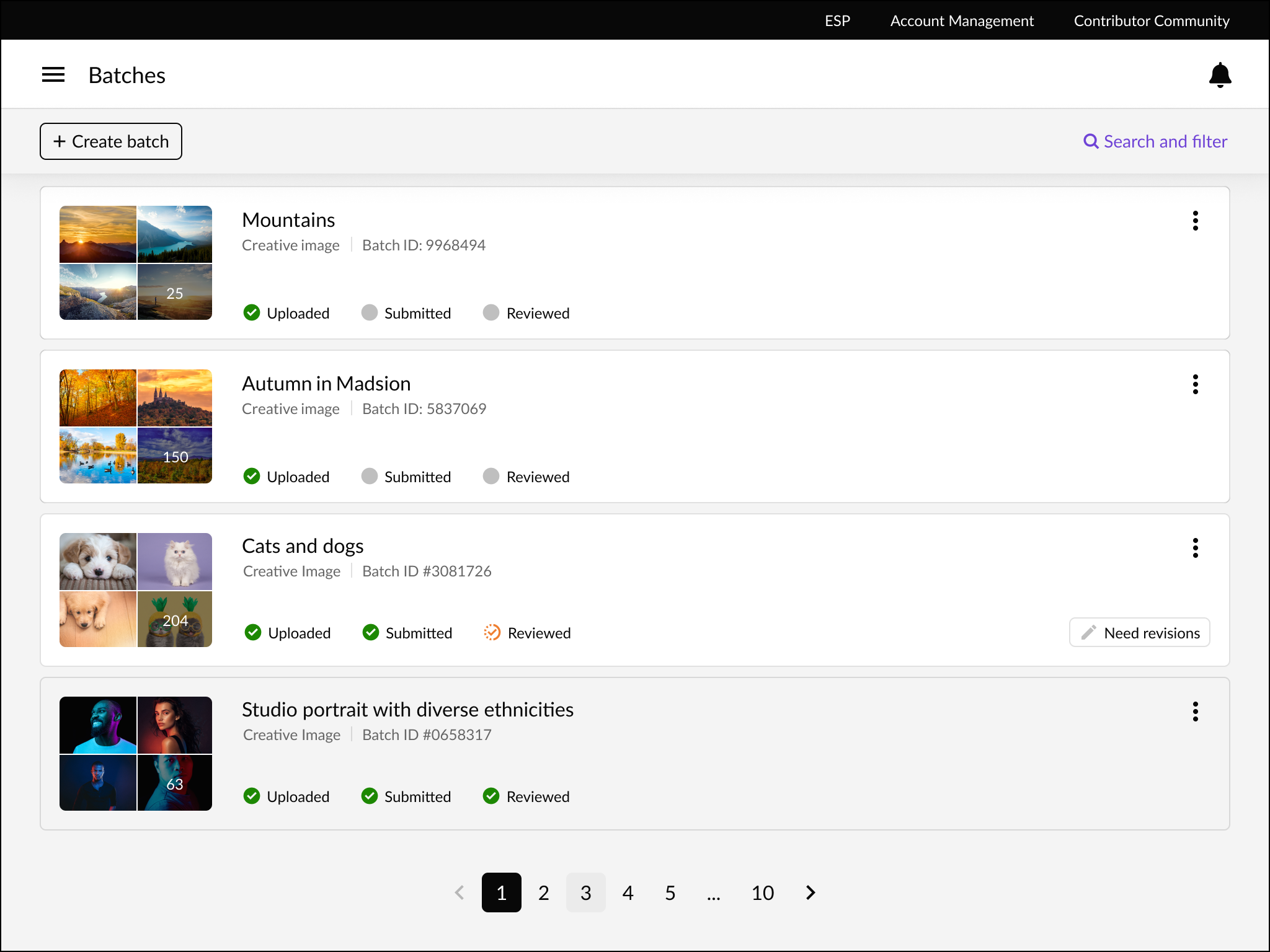
2/6 — Users can see their uploaded batches of images, and identify what’s within by thumbnail previews. They can easily understand the status of their submissions.
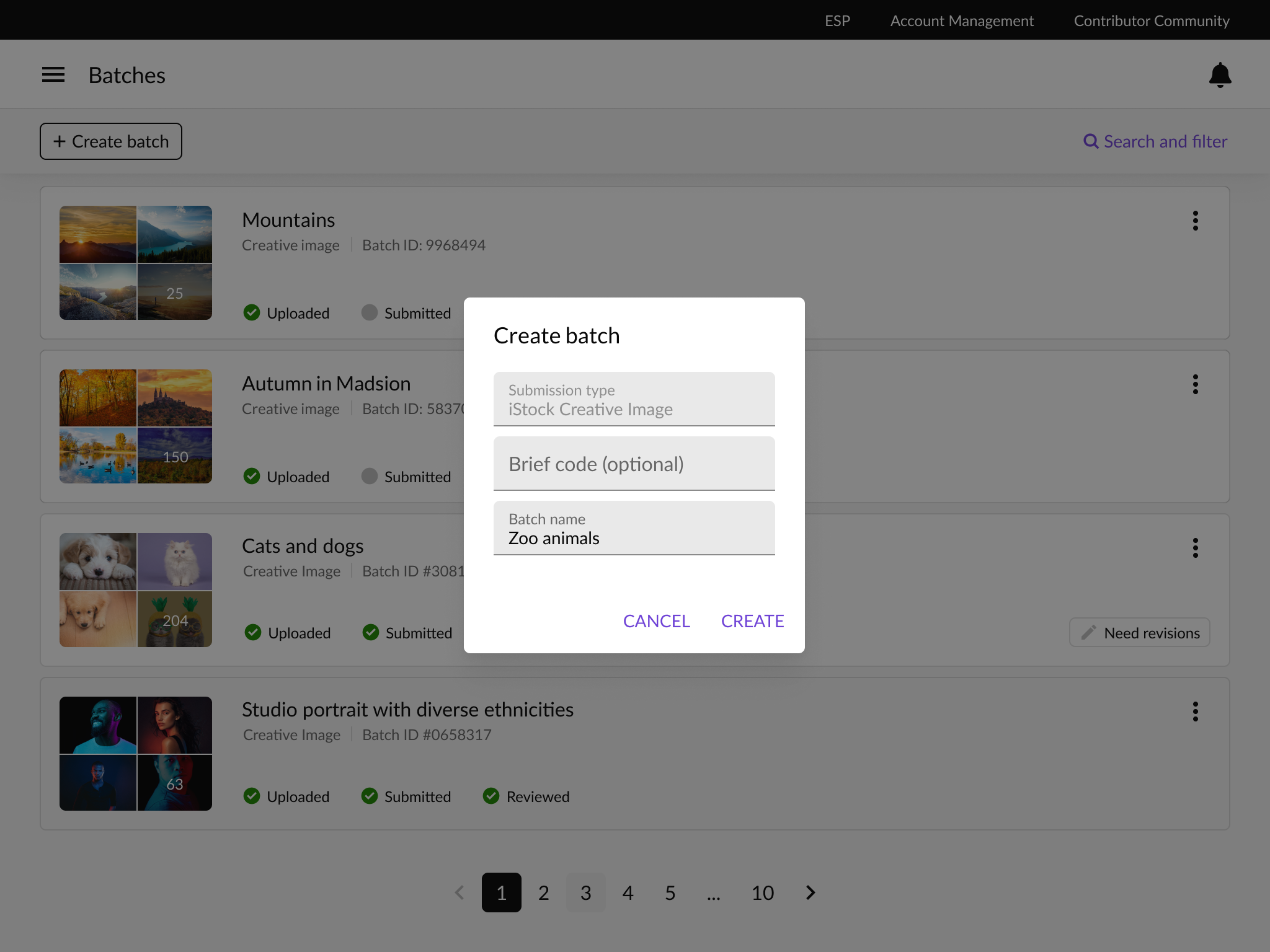
3/6 — When a new batch is created, users are focused on their task at hand to enter critical information.
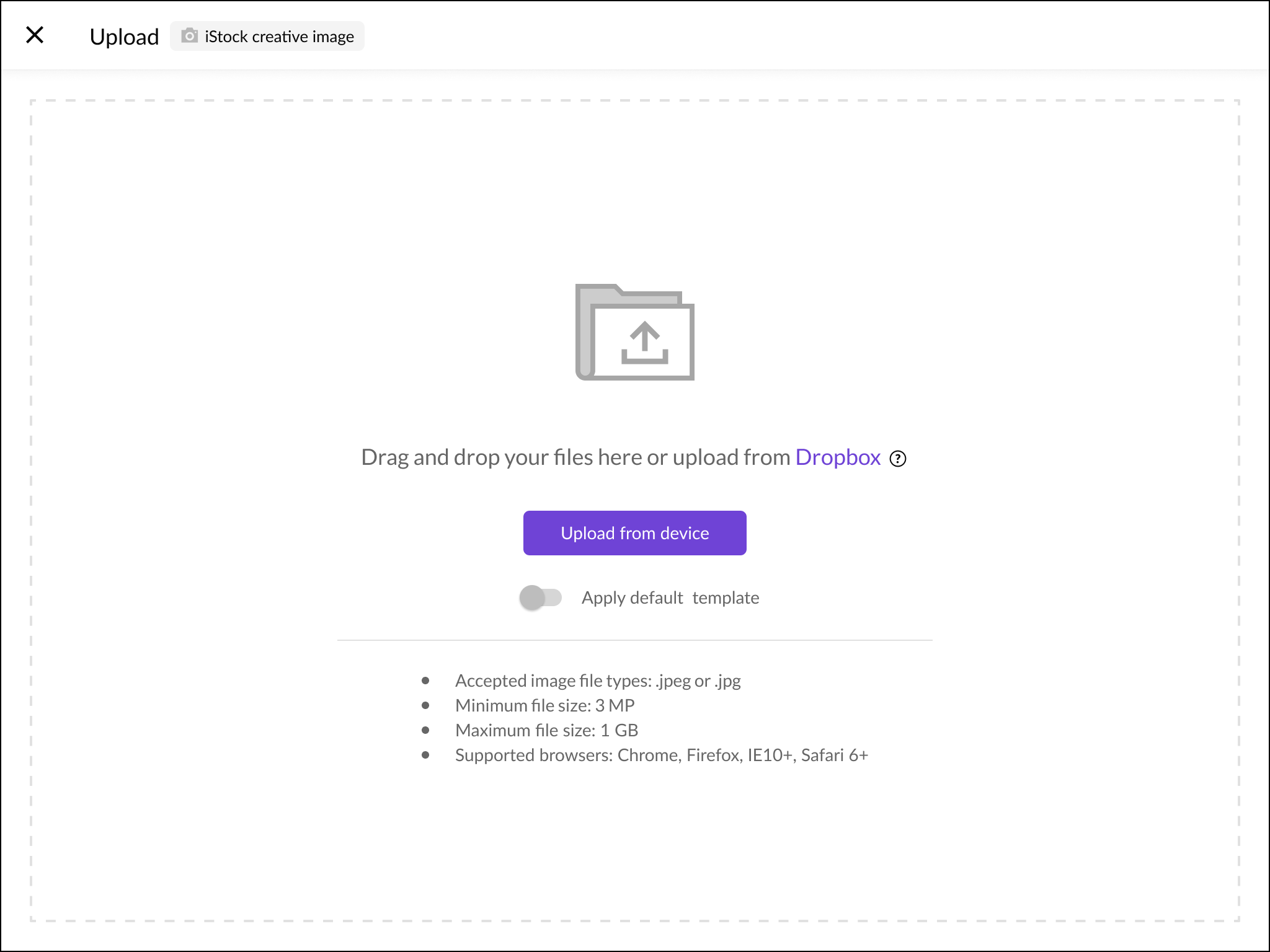
4/6 — Next, users are prompted to upload their images on a dedicated upload screen. There is a large dropzone to make it obvious and easy to drag in files.
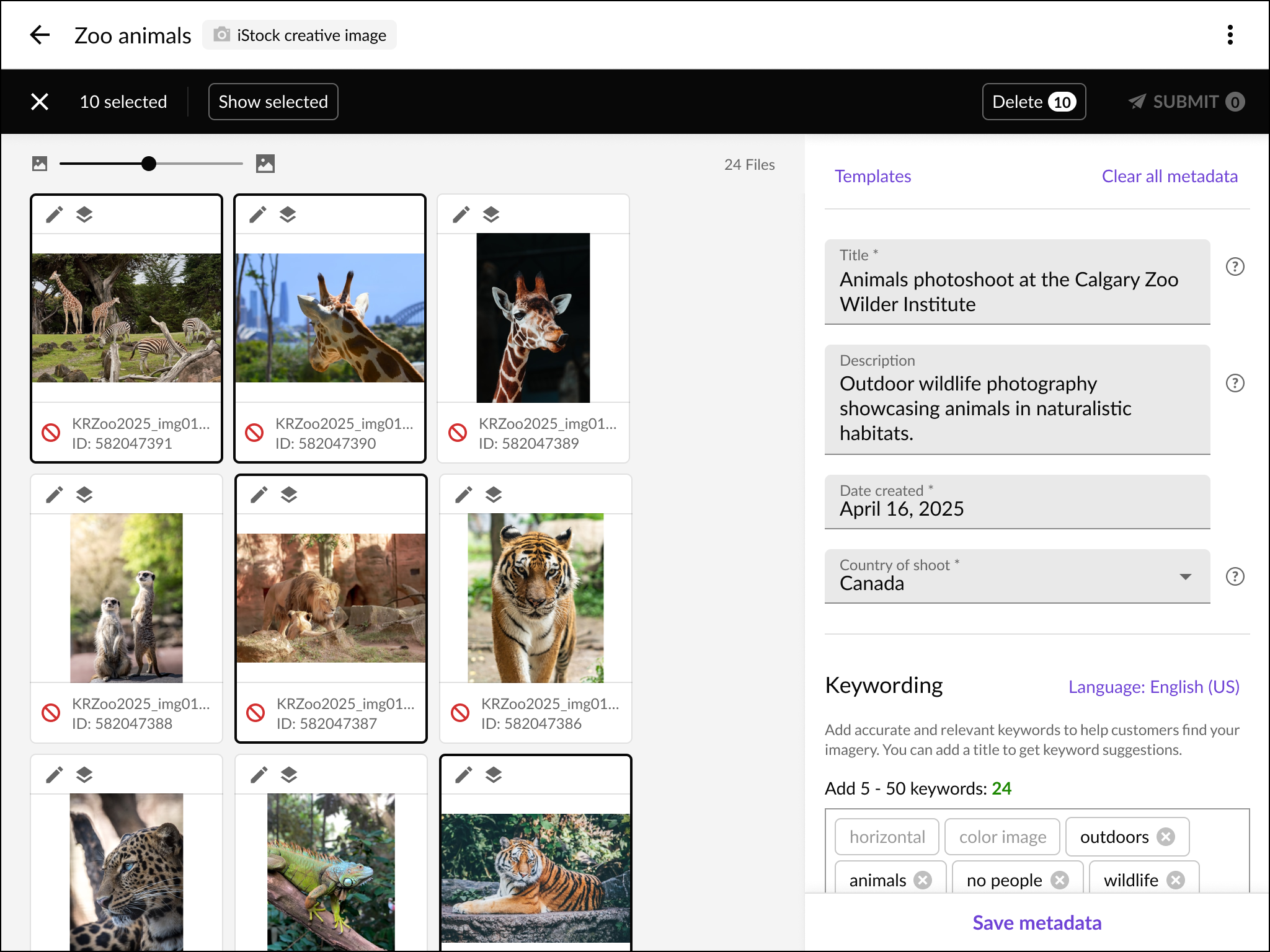
5/6 — When images are uploaded, users must add metadata to each image. For efficiency, multiple images can be selected and provided with the common data. Then the images can be submitted for approval.
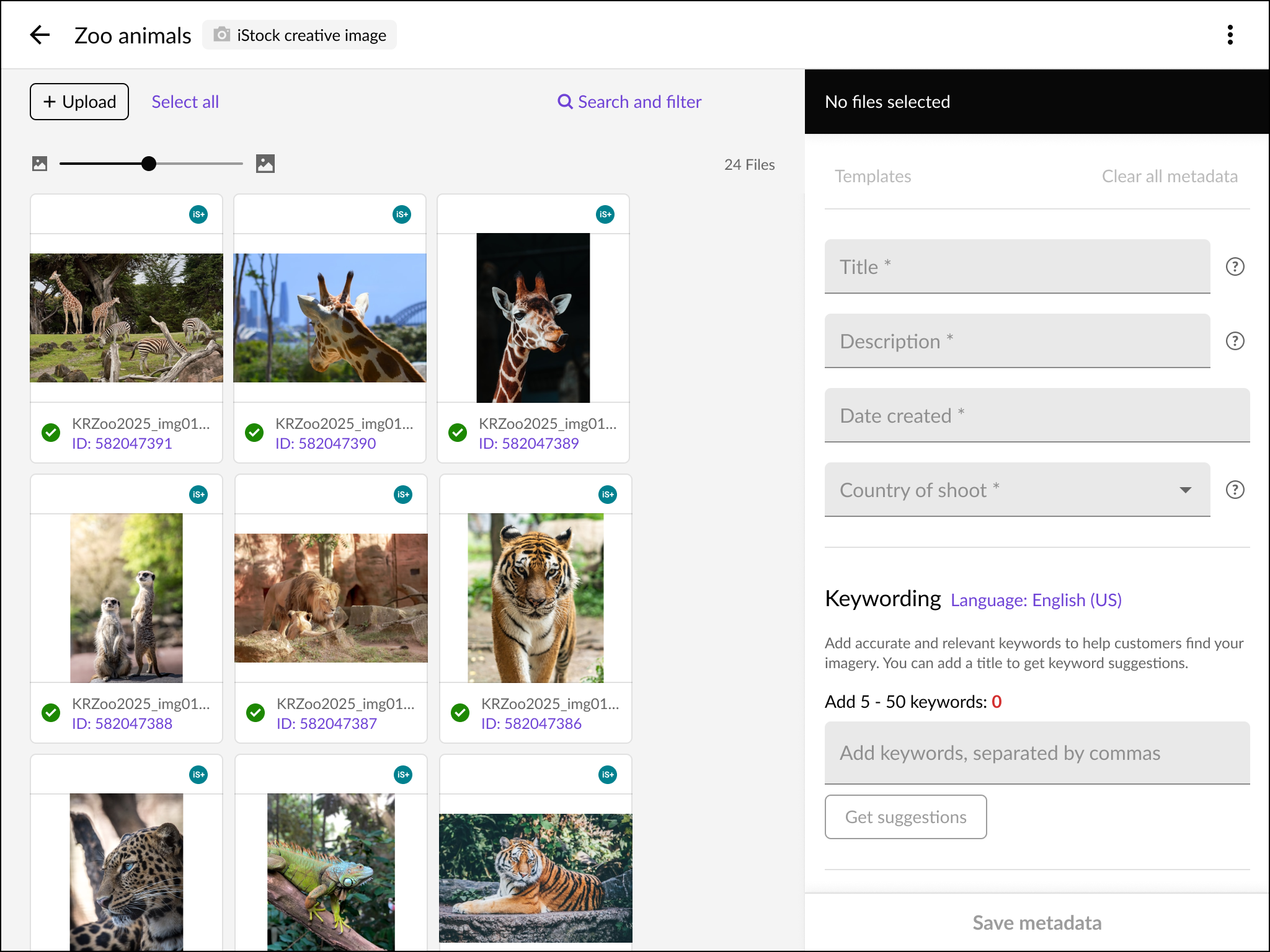
6/6 — The user can tell the individual submission status on each tile. When images are accepted, the asset card displays a checkmark, and the image is linked to the customer-facing website.
Matching release contracts for image usage
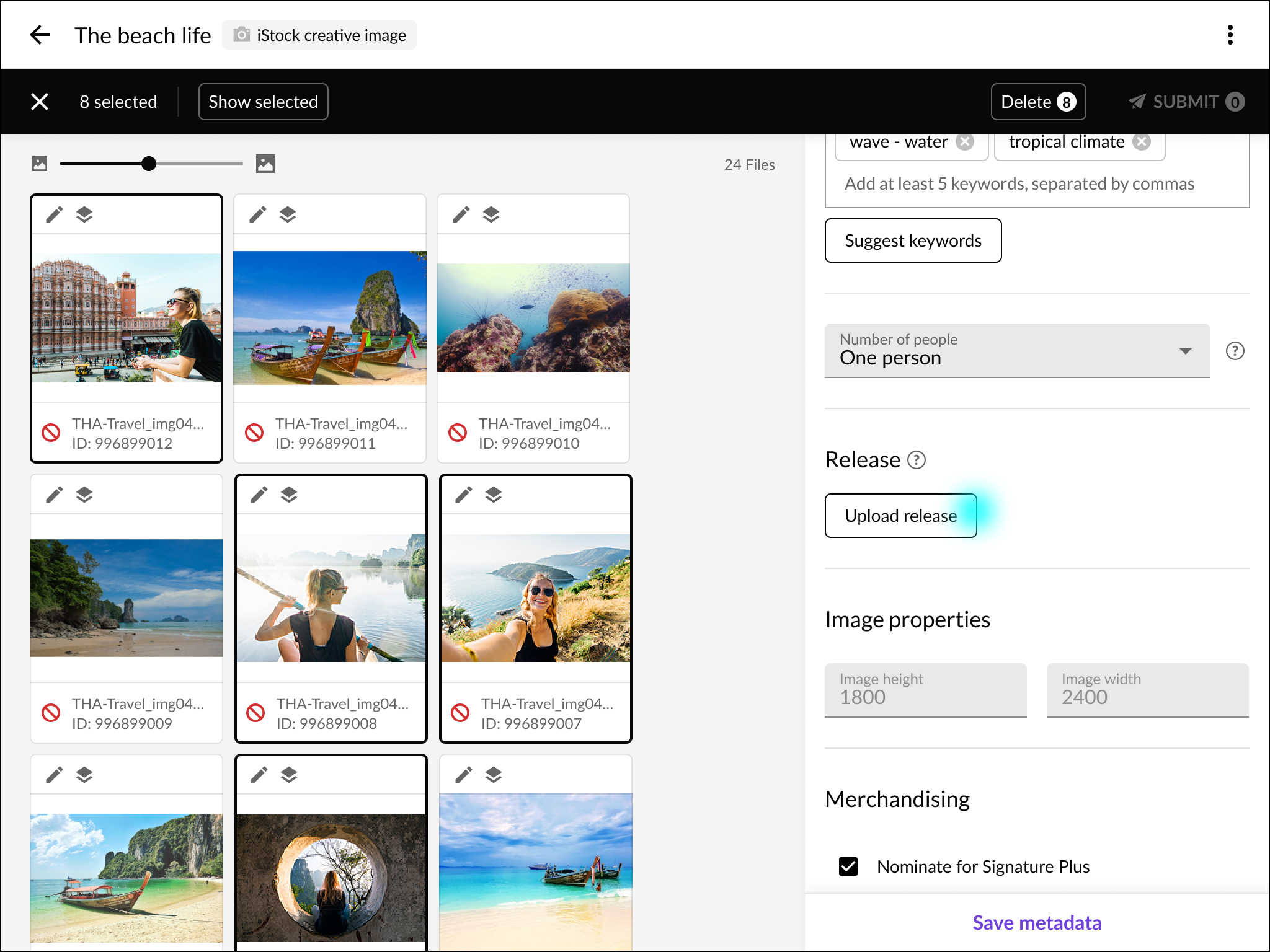
Images require contracts permitting commercial use. Photos with models sold best, and each image featuring people required an accurate signed model release contract.
1/3 — When users add metadata, they can add releases. By selecting images with the same model, they can press upload to start the process.
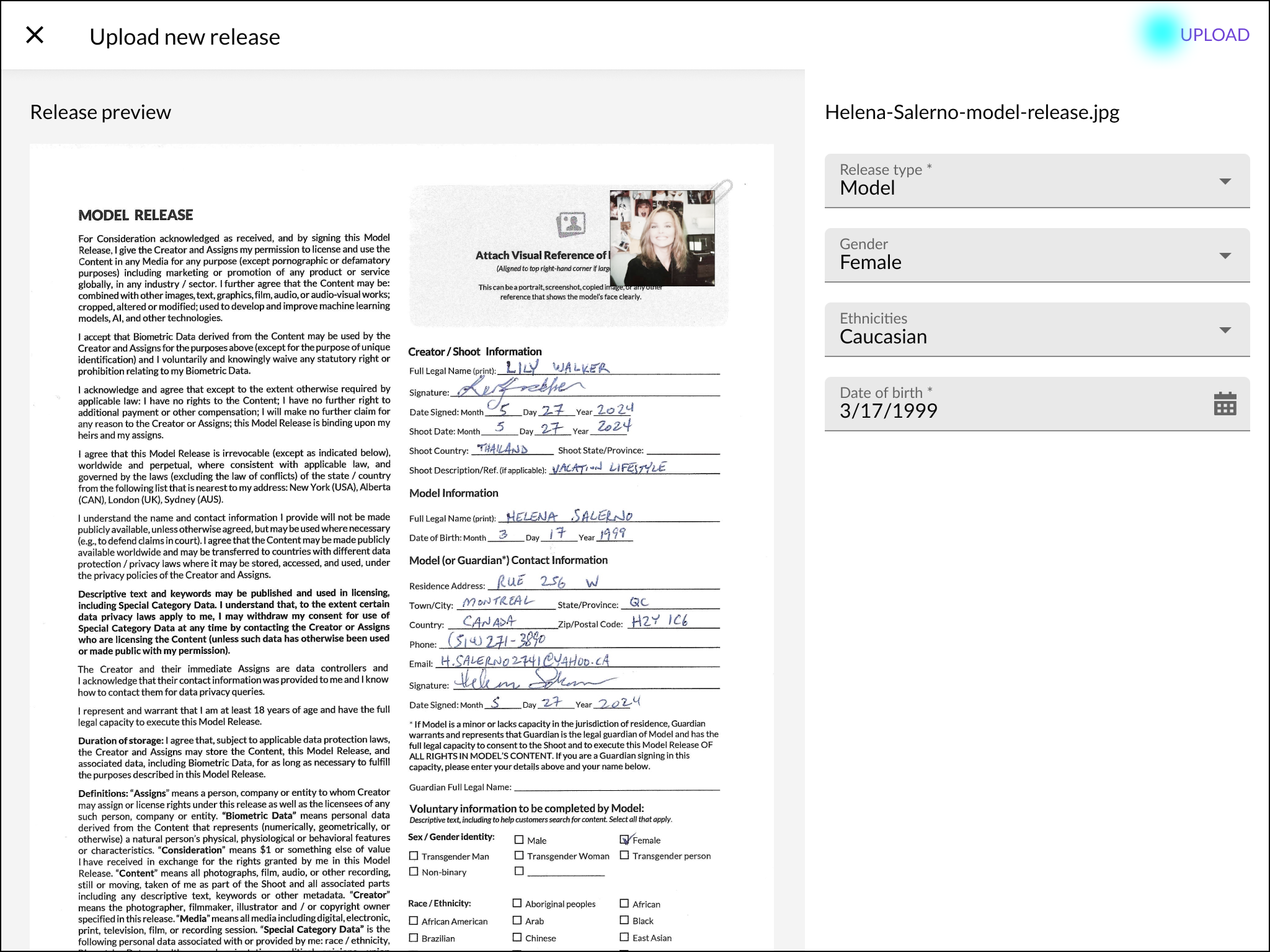
2/3 — When uploading, users can see a preview of their release, and are prompted to enter data about the release.
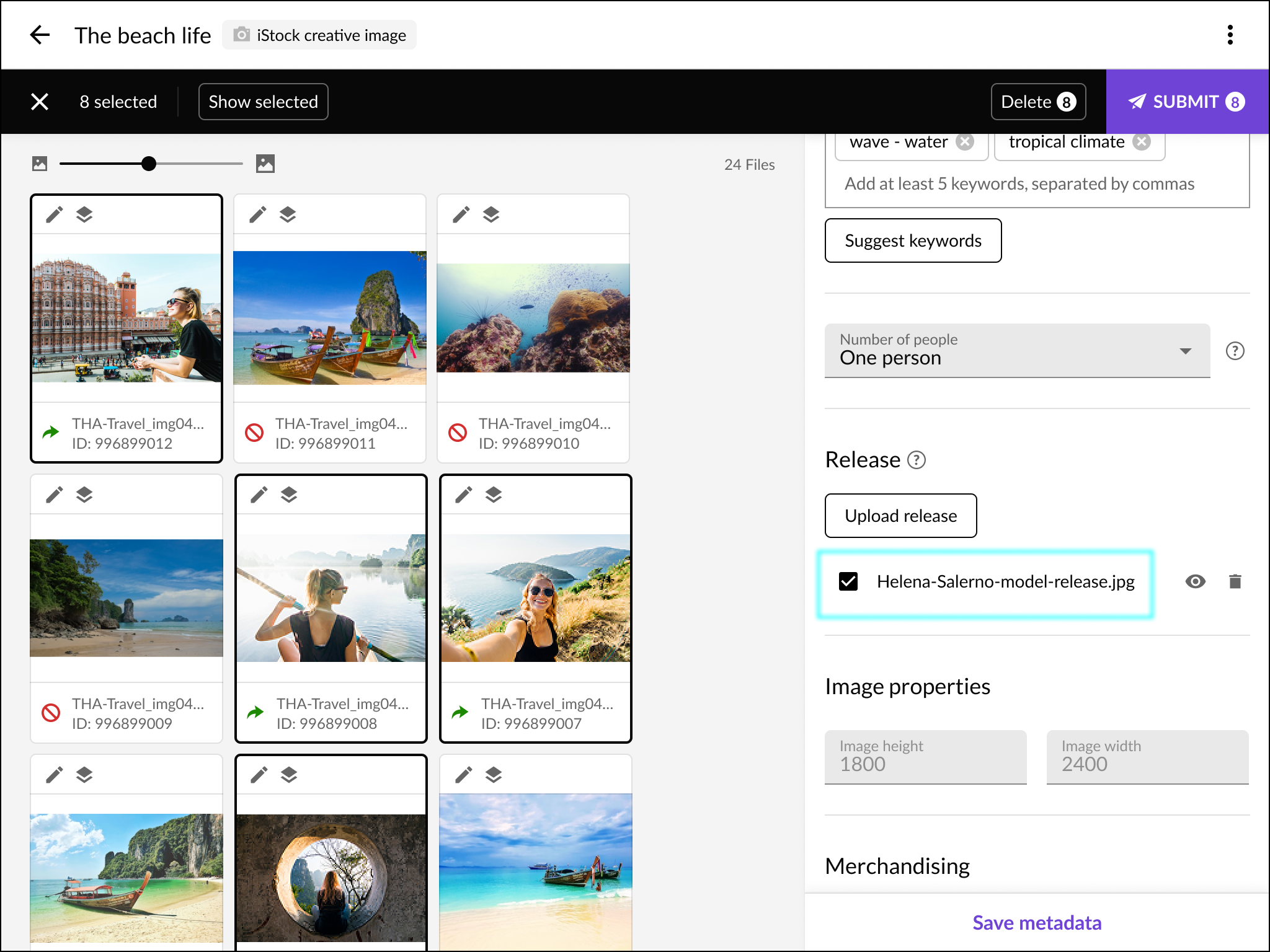
3/3 — Once the release is uploaded, a user can match the correct releases to corresponding images.
Supporting metadata templates for more efficiency
Users can be more efficient by using templates for more bulk processing of attaching metadata to many images.
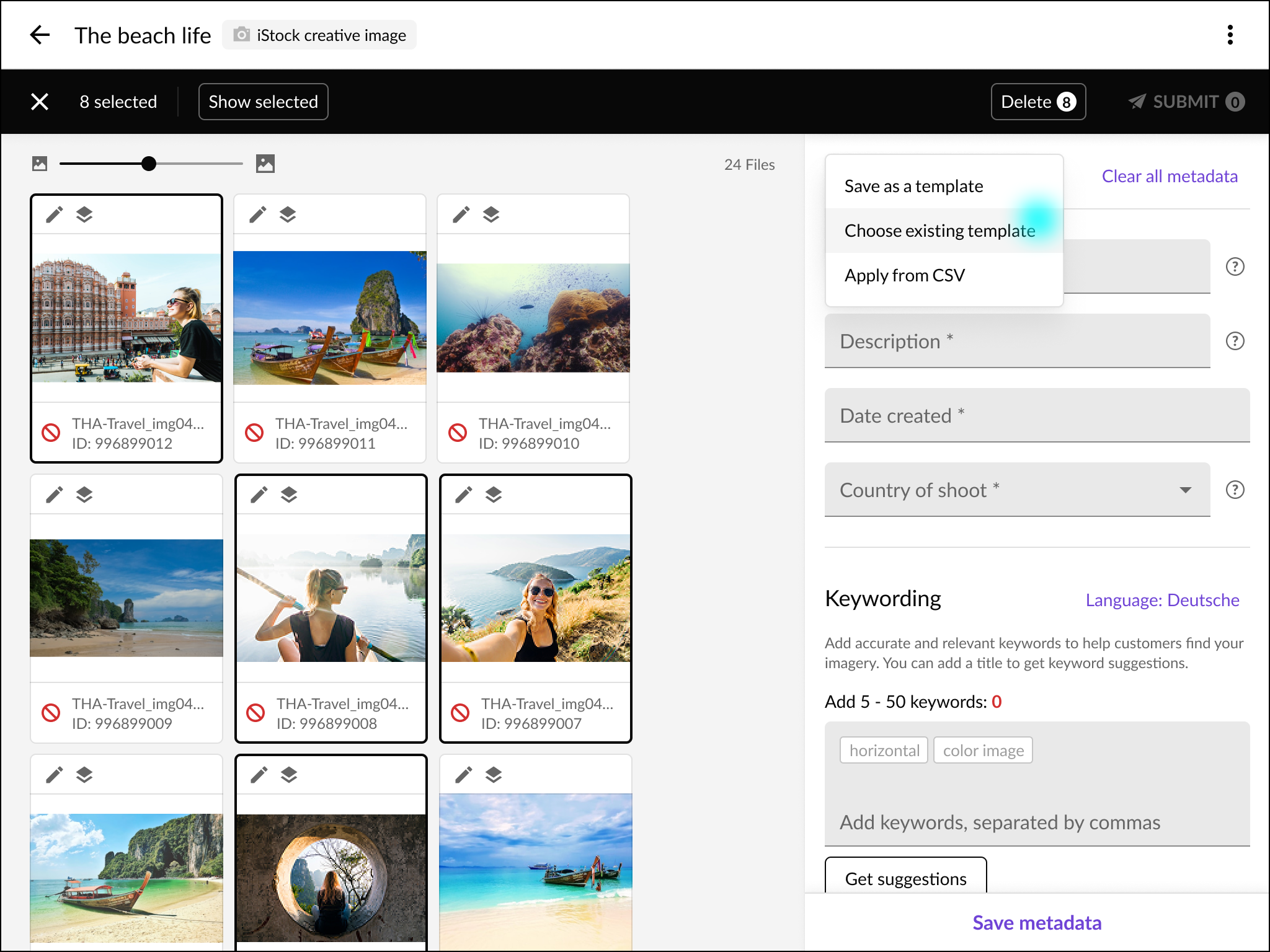
1/4 — A user can select their action from the template dropdown menu. Users can save current data as a template, upload a CSV, or choose an existing one to apply to their images.
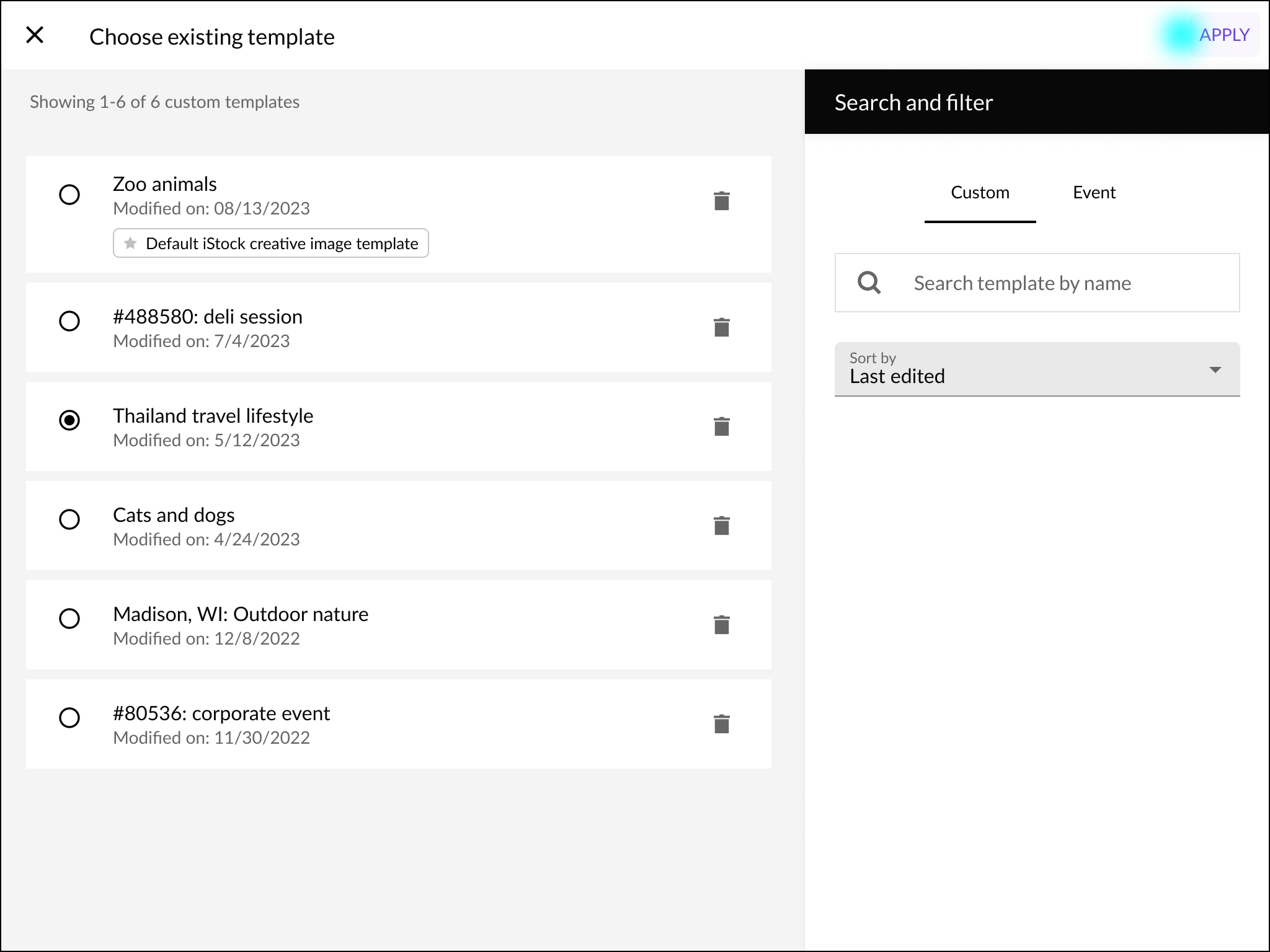
2/4 — When using an existing template, users are focused on a dedicated screen to select the appropriate one to apply.
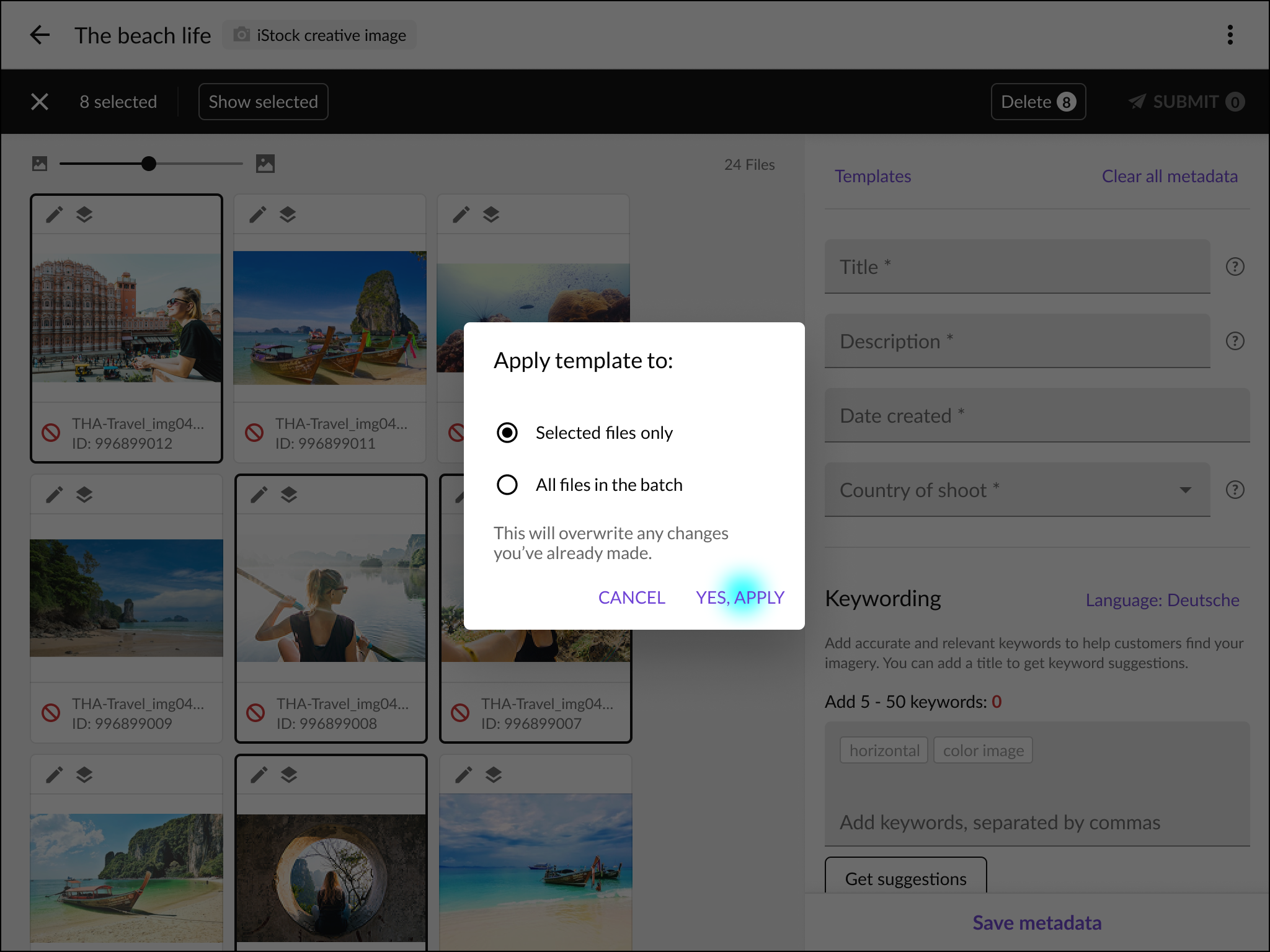
3/4 — Users confirm whether the template overwrites metadata on selected images or an entire batch.
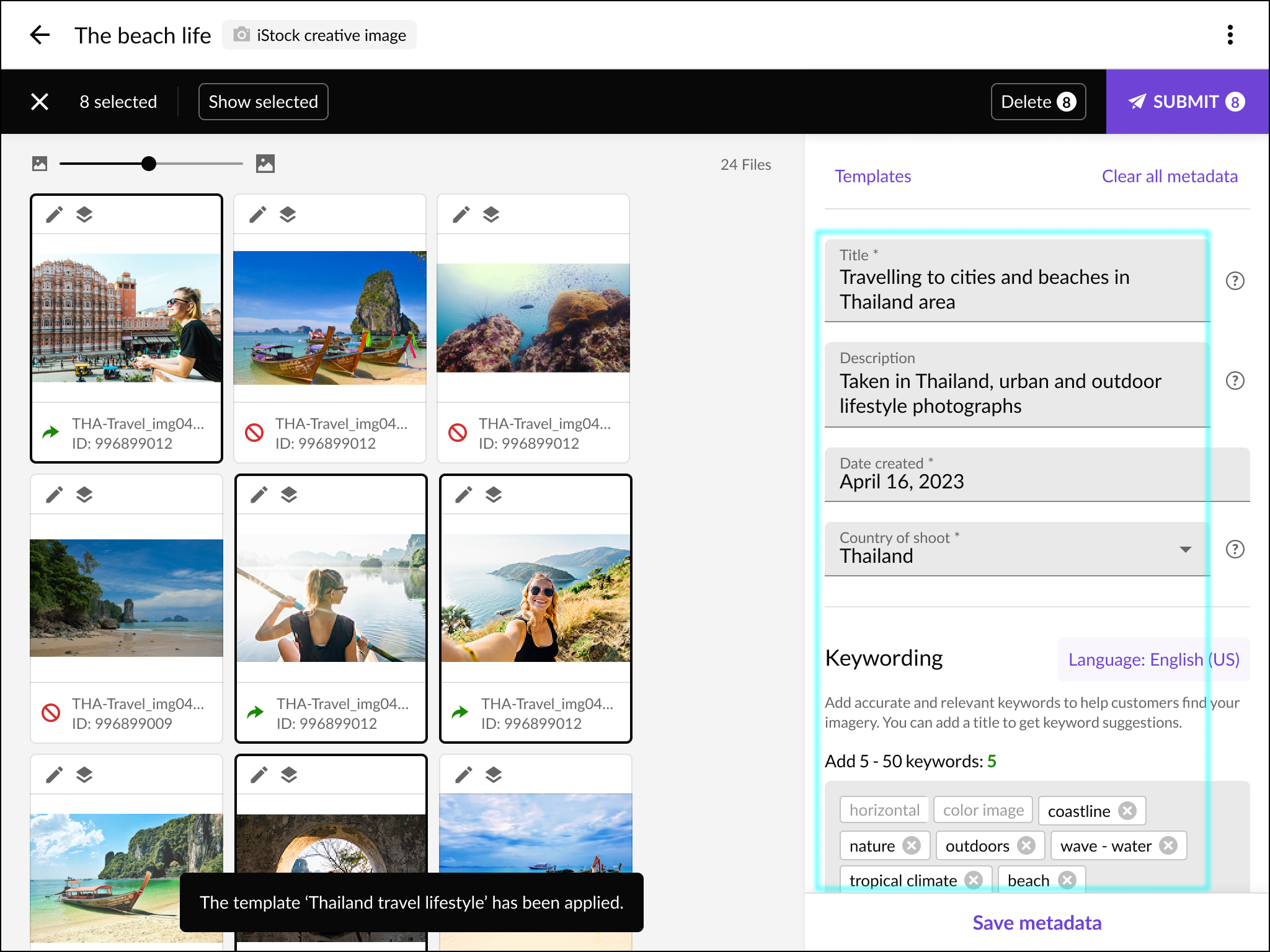
4/4 — Once applied, a user can review the populated data for selected images in the metadata panel.
Designed for desktop and mobile
Responsive design was mandatory. Contributors may shoot and submit entirely from a phone, particularly for breaking news, in emerging markets, and user-generated content.
1/2 — Batches are displayed as cards with a preview image and number of files. The flow for creating a new batch of images to submit is viewable on mobile devices.
2/2— Uploaded images are displayed as a grid in the available resolution. When an image is selected, the user can bring up a metadata panel to enter keywords.