SHAW COMMUNICATIONS // E-COMMERCE AND PRODUCT CONFIGURATION
New TV product buyflow built separately from existing systems, plus a channel builder
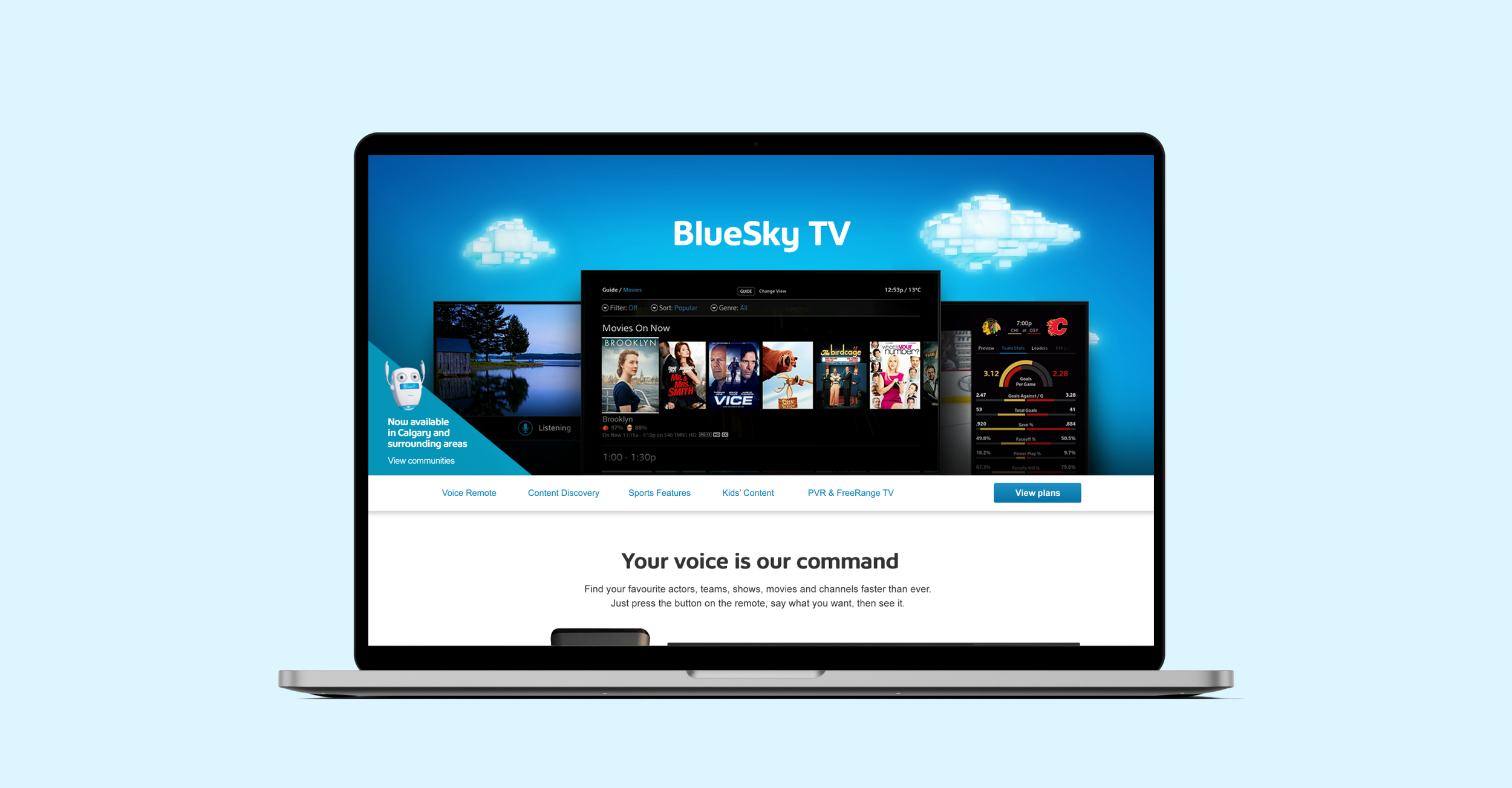
A major Canadian telco, Shaw Communications, was launching the first voice-command IPTV in Canada. Also, government regulations changed allowing TV companies to let customers pick individual channels to subscribe to.
The Shaw website needed to support new BlueSky TV products, and a new way to buy channels. With a defined in-market date, there was 5 months to do it.
LEAD DESIGNER internal and external co-ordination, UX design, visual design, video captures, stakeholder alignment and presentations • Timeline: 5 months
Outcome
Launched on-time branded digital multi-channel experiences, for a gain of $27M new annual recurring revenue (25K customers.)
Created were:
Dedicated landing page and buyflow for BlueSky TV bundles, and trading full integration for on-time launch
Channel builder used in two buyflows, the new BlueSky TV and existing purchase path
Design libraries for faster turnaround and consistent branding
Branded digital marketing on core website and digital acquisition pages
WHAT WAS BUILT
Landing page and dedicated buyflow
This product and the BlueSky box got a dedicated buyflow. This was to introduce the voice IPTV product, and because the 5-month timeline didn’t allow for full integration into the existing purchase path. The flow ended in a lead generation form for Customer Service to finalize the sale, trading full e-comm checkout for speed-to-market.
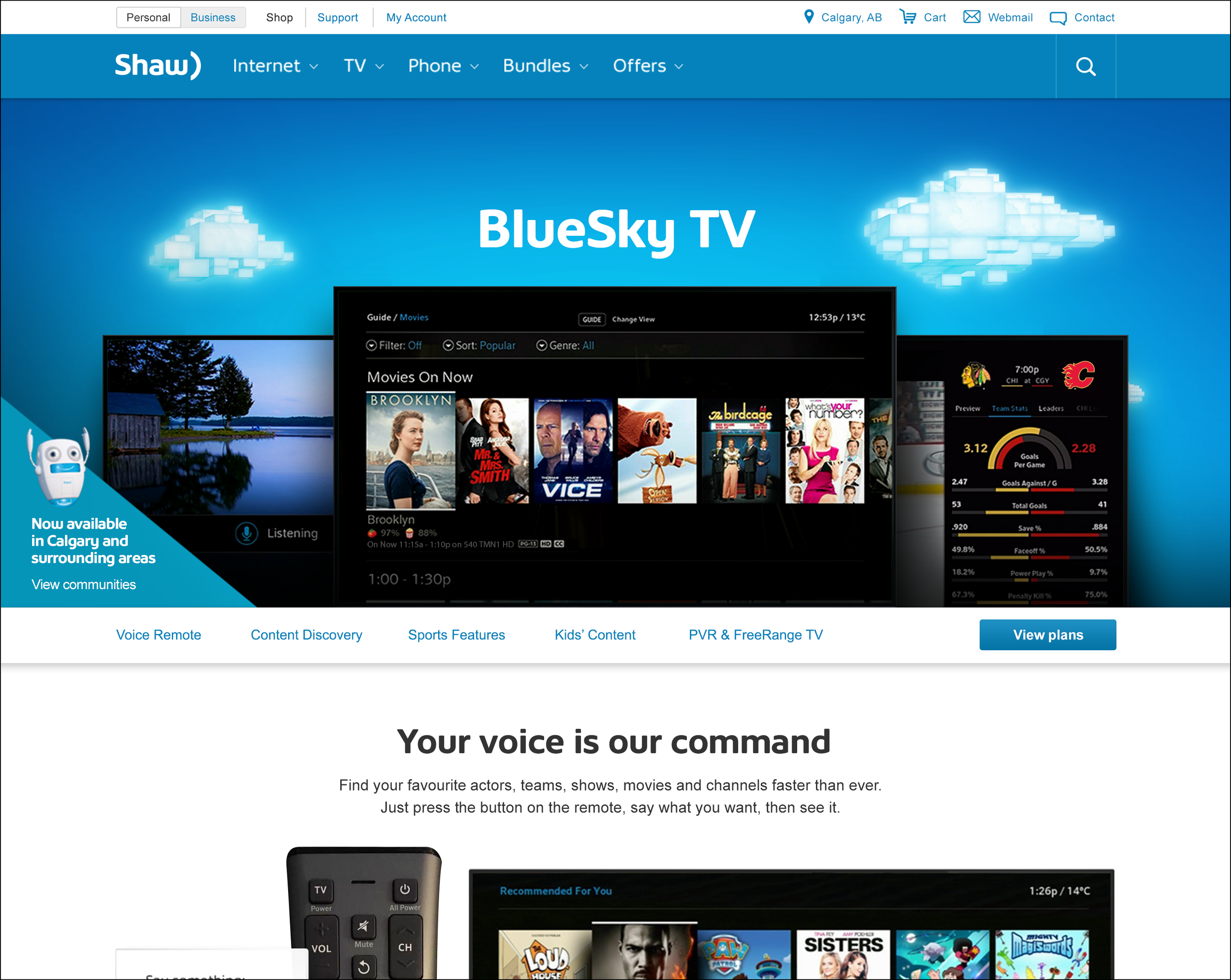
1/8 — New customers are shown a visually designed page incorporating infographics and video to demonstrate voice and IPTV capabilities. There are jump links that go to each filter, and a prominent “View Plans” that links to that section.
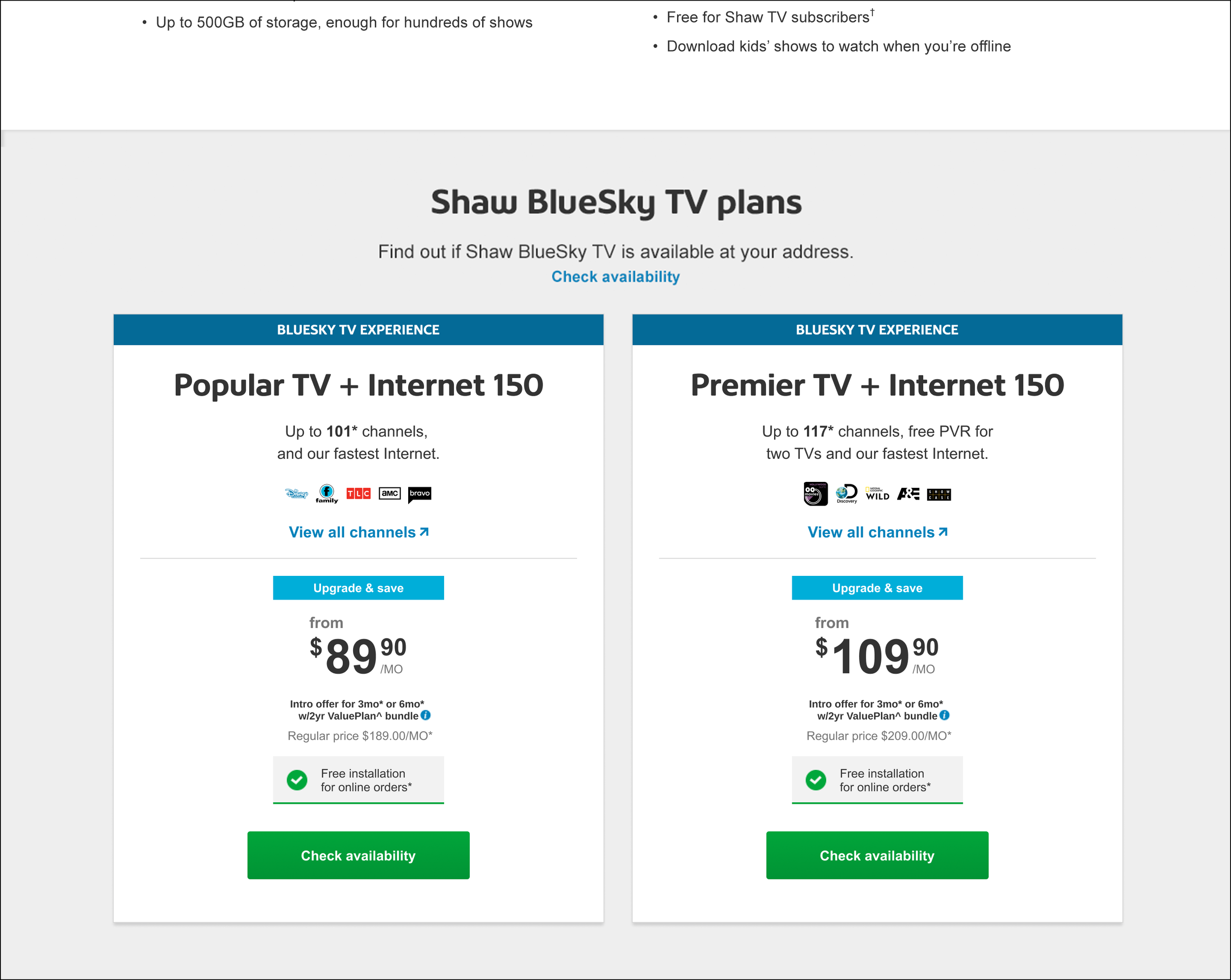
2/8 — In the Plans section, TV and Internet bundles are displayed. Customers can get an overview of Internet speeds, channel offerings, and price and promotion.
3/8 — A customer is required to tell if they’re a new customer, and their location. The promotion is for new customers, and channels are area-specific. This was important to engage Fulfillment and the product catalog.
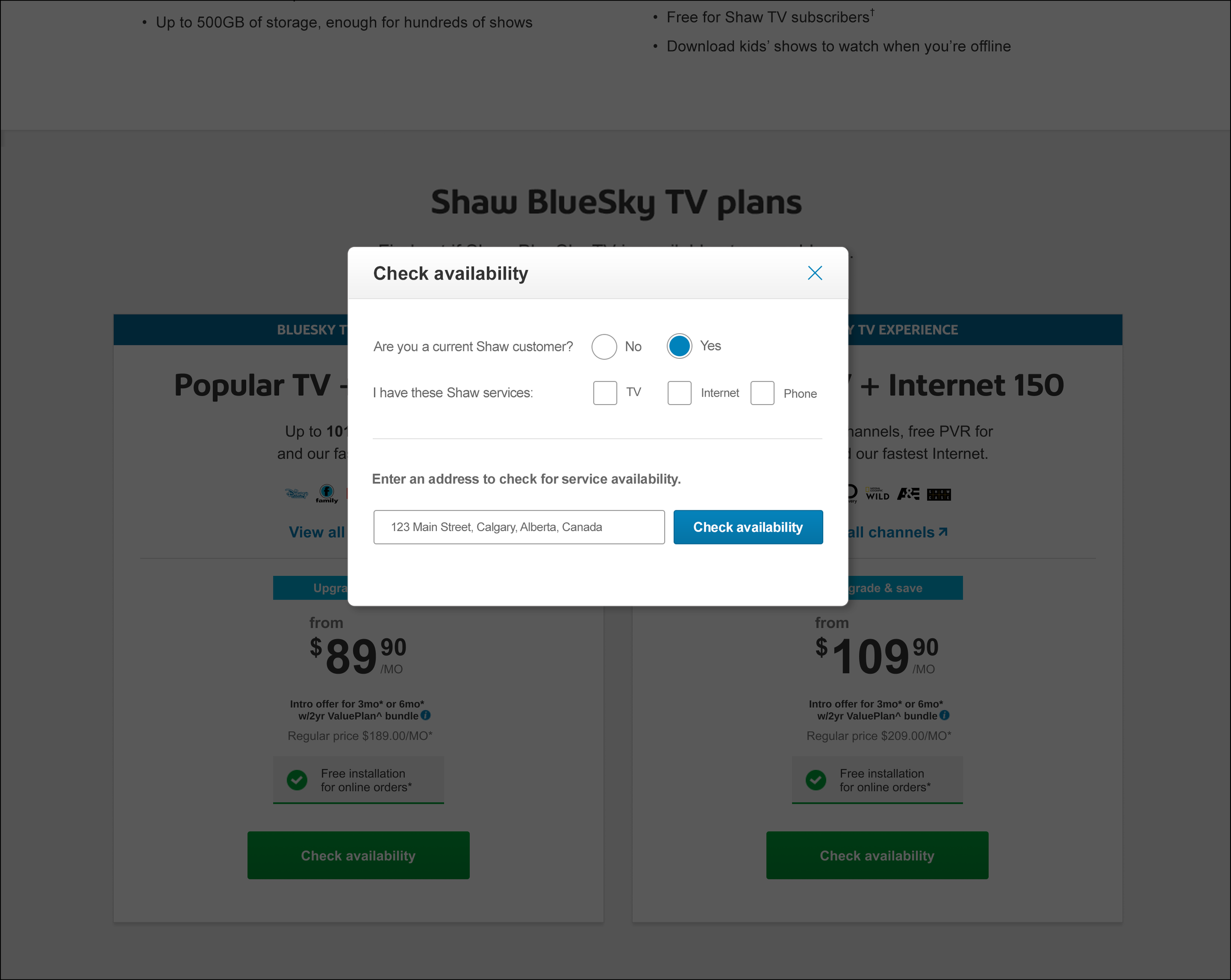
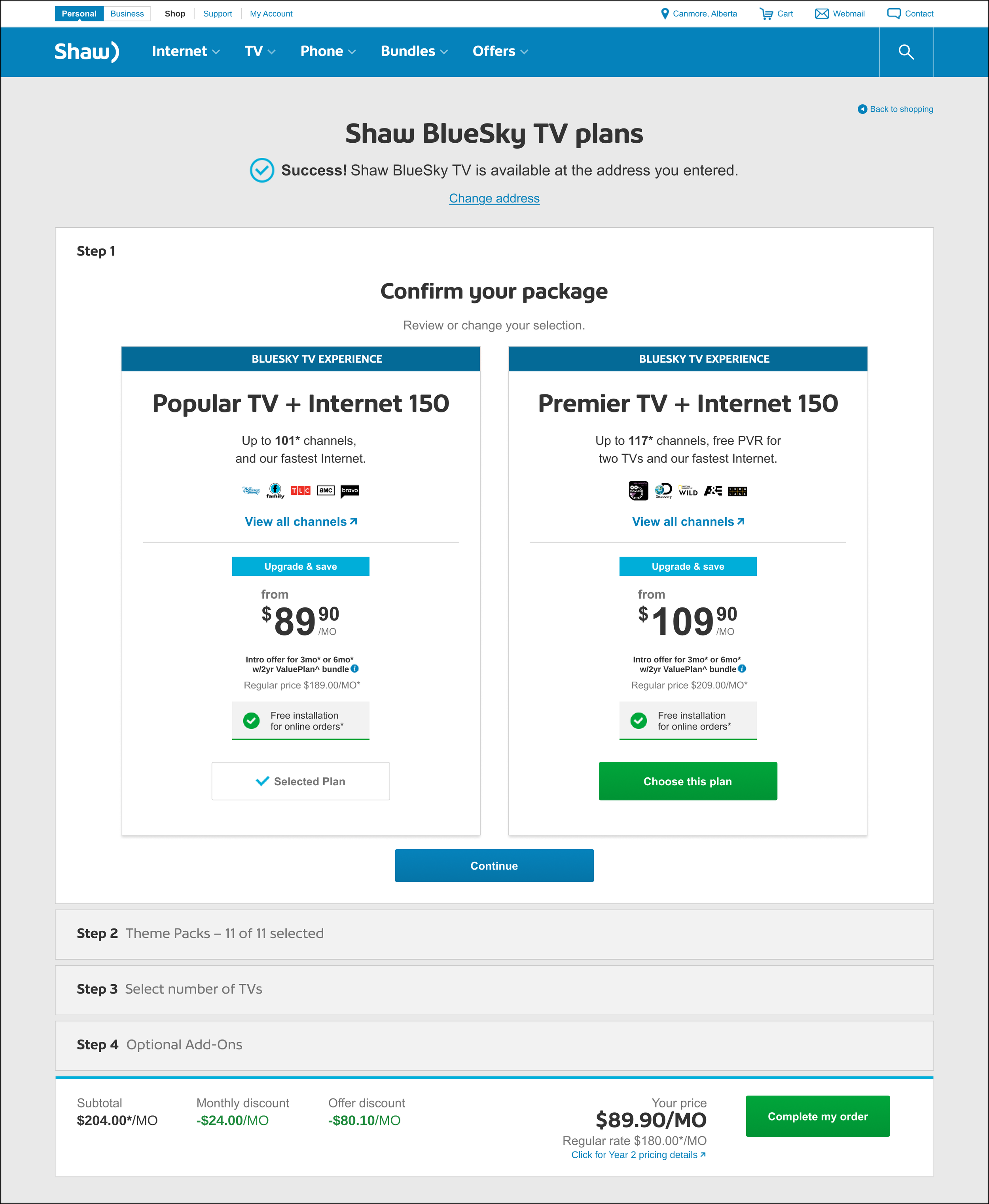
4/8 — If a user is new and is in an eligible locations, they’re shown a success message. For Step 1, the customer would confirm their bundle choice.
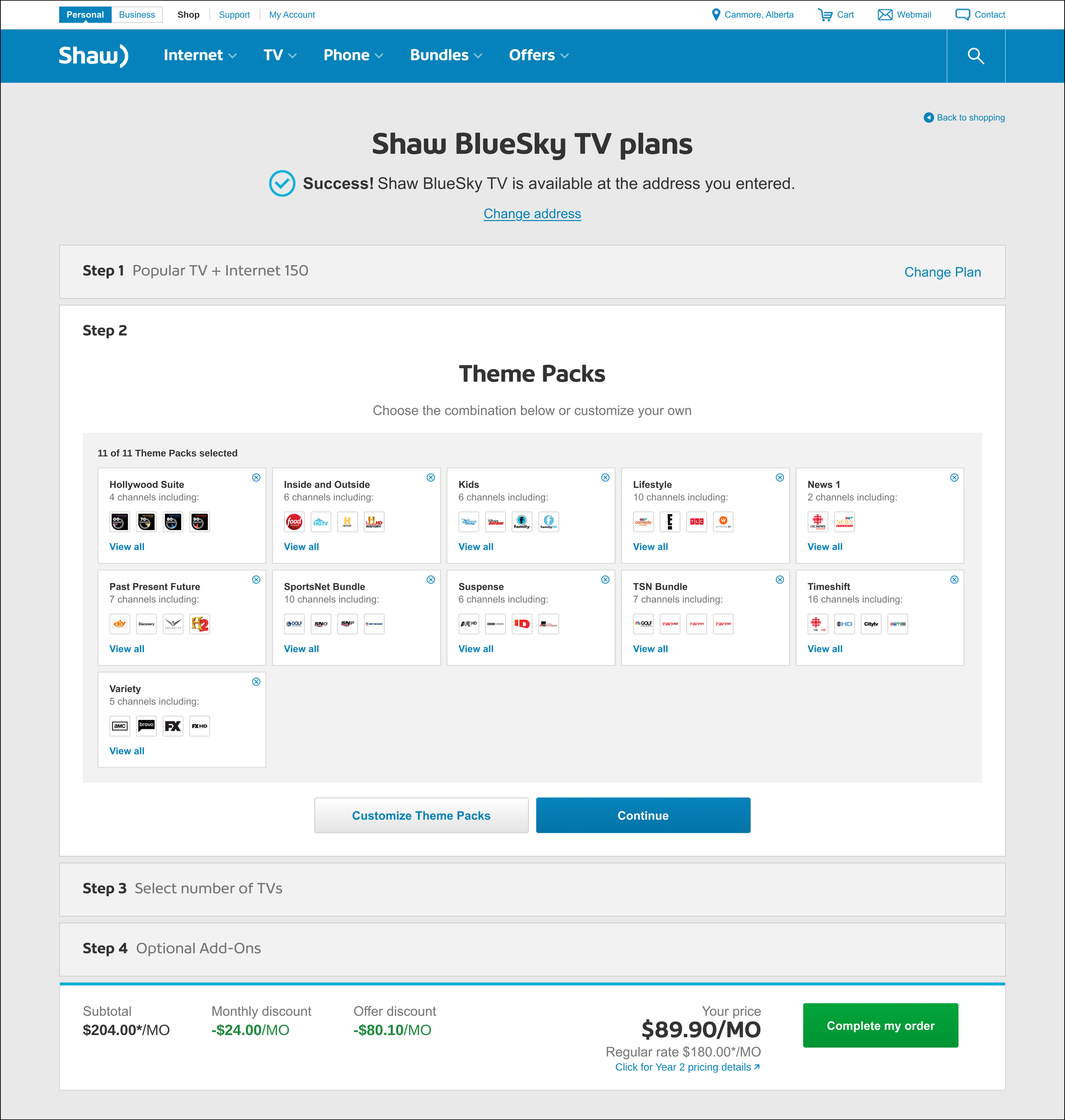
5/8 — In Step 2, a customer is shown the default selection of channel Theme Packs for their product and area.
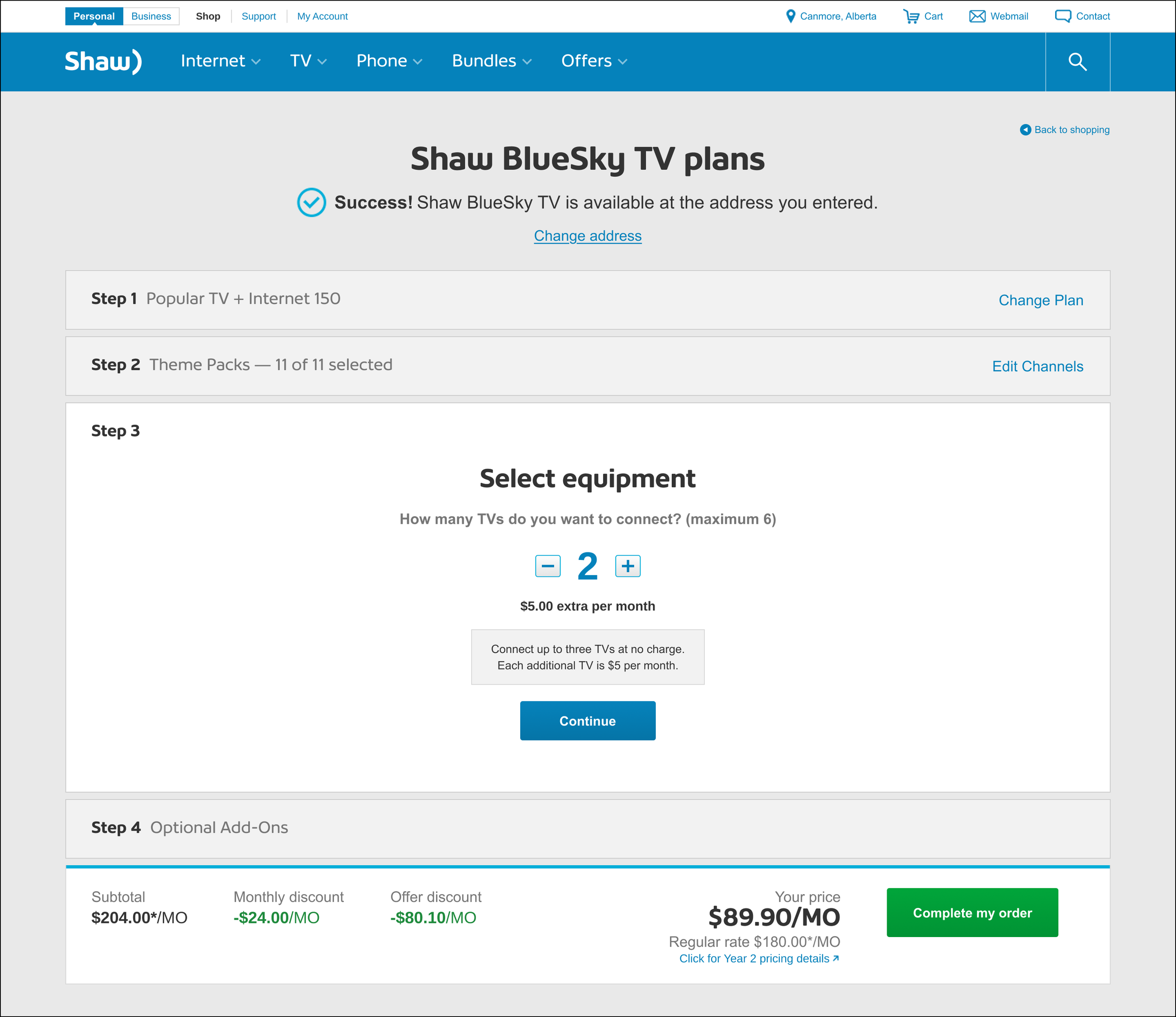
6/8 — In Step 3, customers determine how many TVs require equipment.
7/8 — In Step 4, customers view upsell products for their market. They may add in extra services, and when done they’d click “Complete my order”.
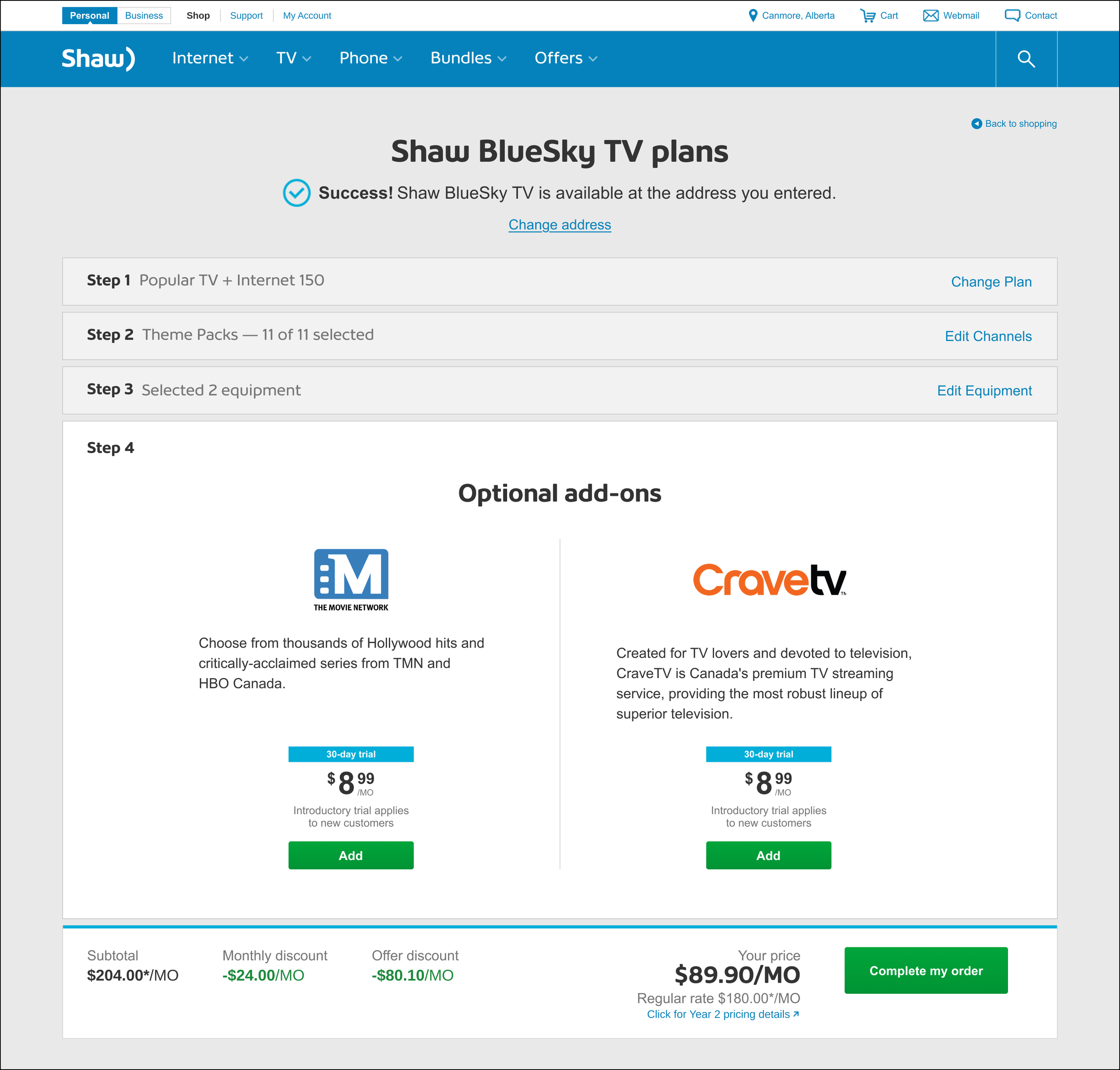
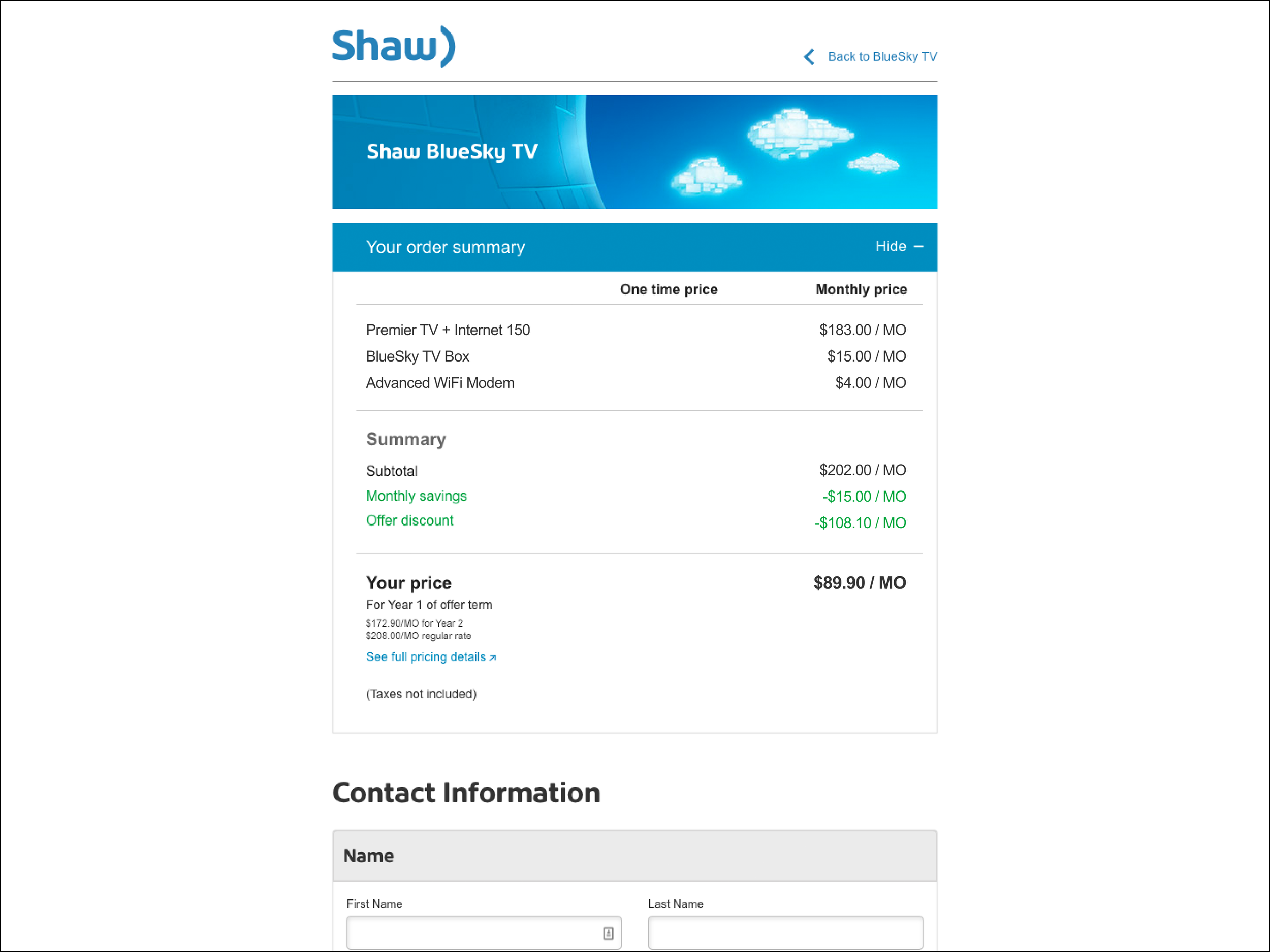
8/8 —The user then enters an existing lead form page to enter information for Customer Service to finalize the sale and schedule installation.
Customers can choose their Theme Packs
For the prebuilt TV and Internet bundle, customers are given the choice of what Theme Packs they want with their package.
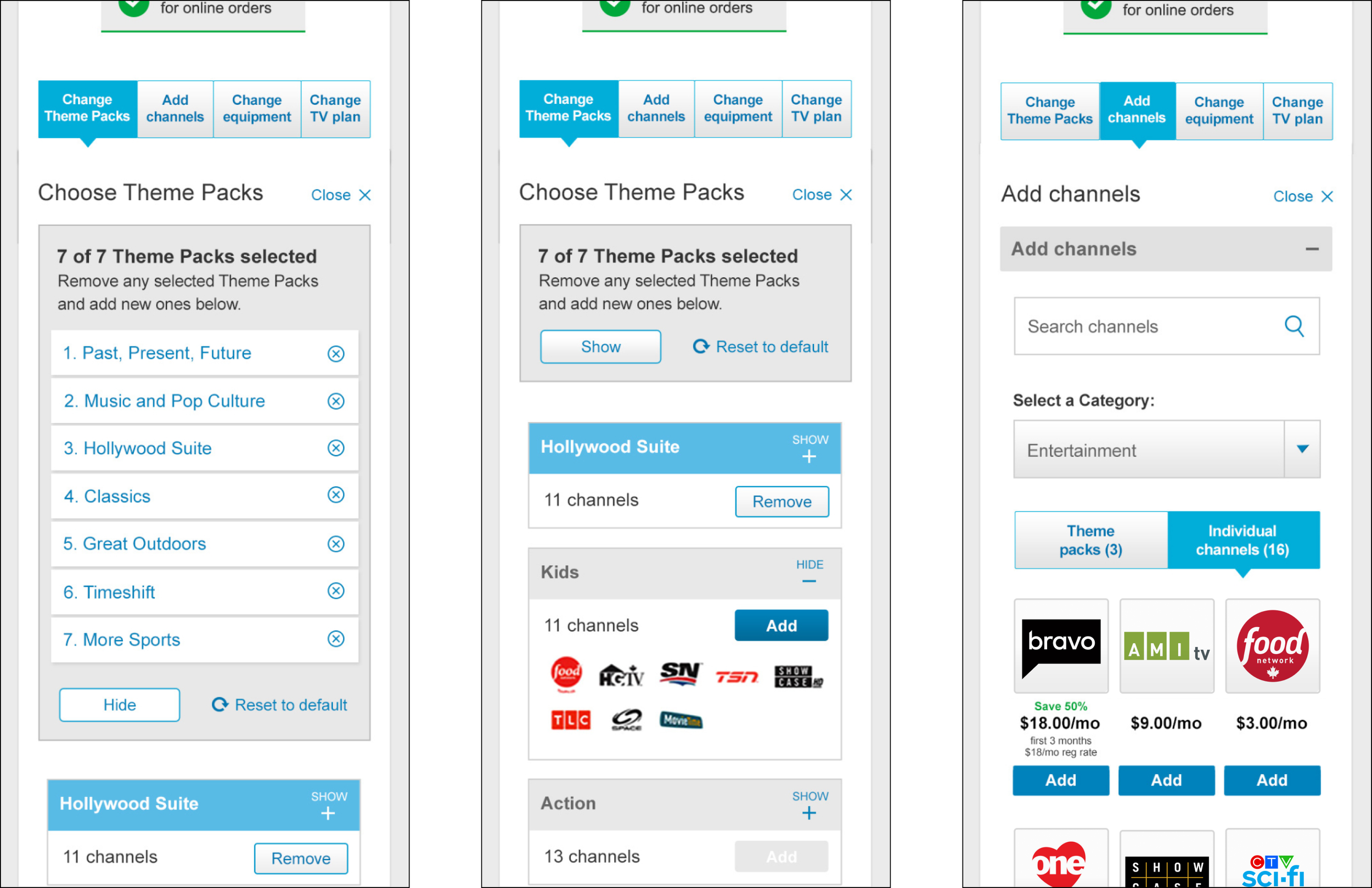
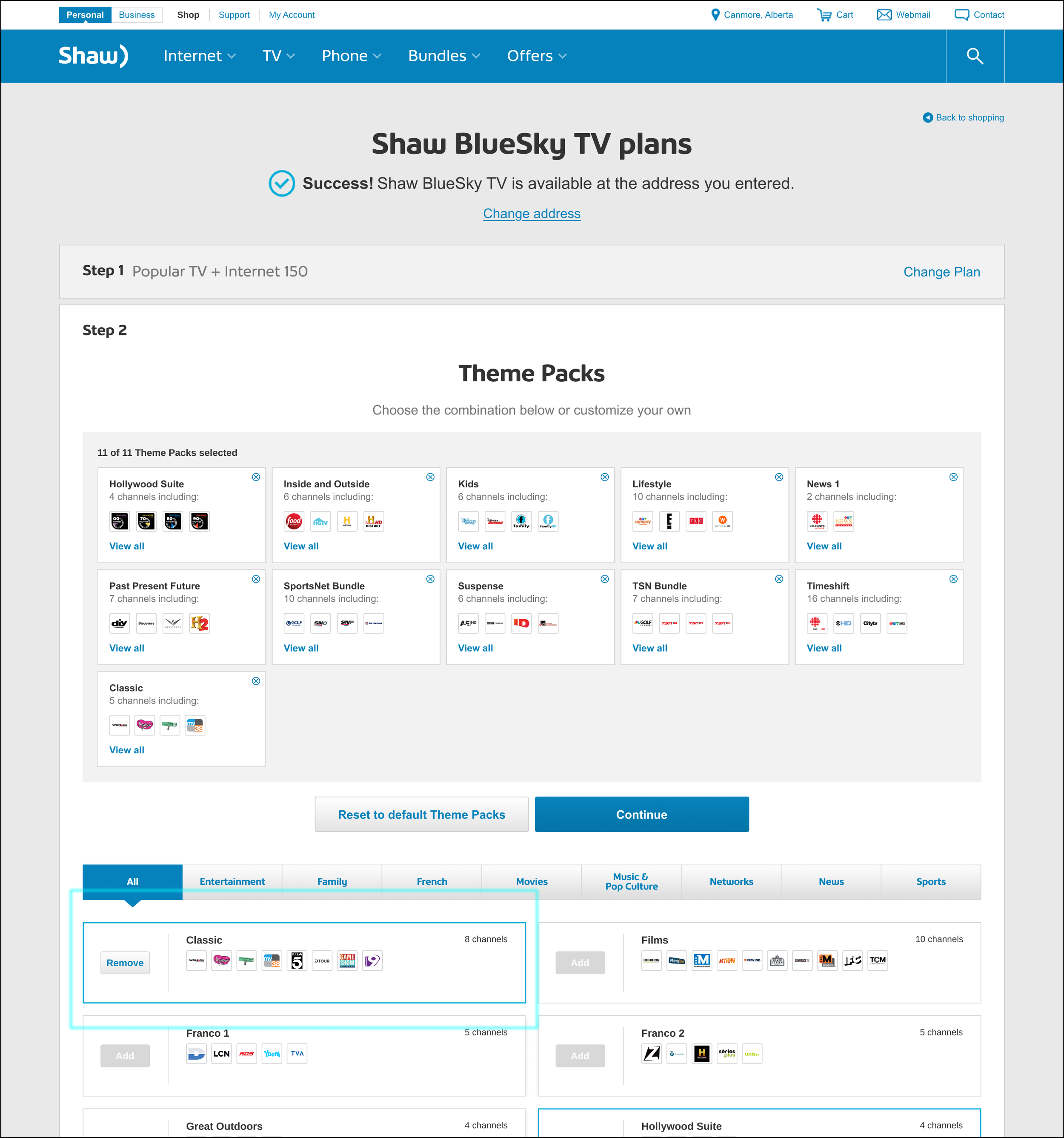
1/3 — On Step 2, a user can select “Customize Theme Packs”.
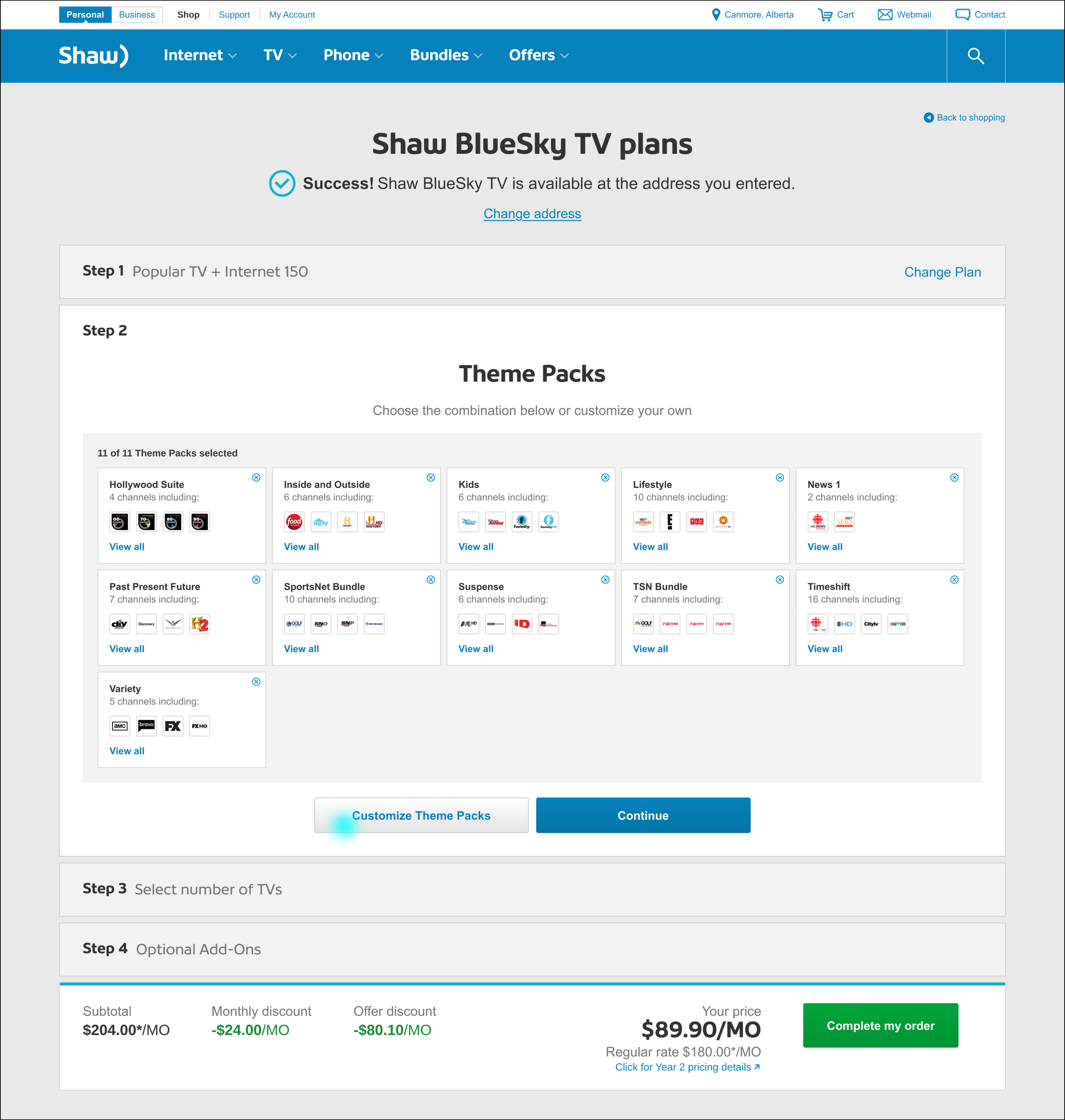
2/3 — This user can have 11 Theme Packs, and must remove some before being able to add any.
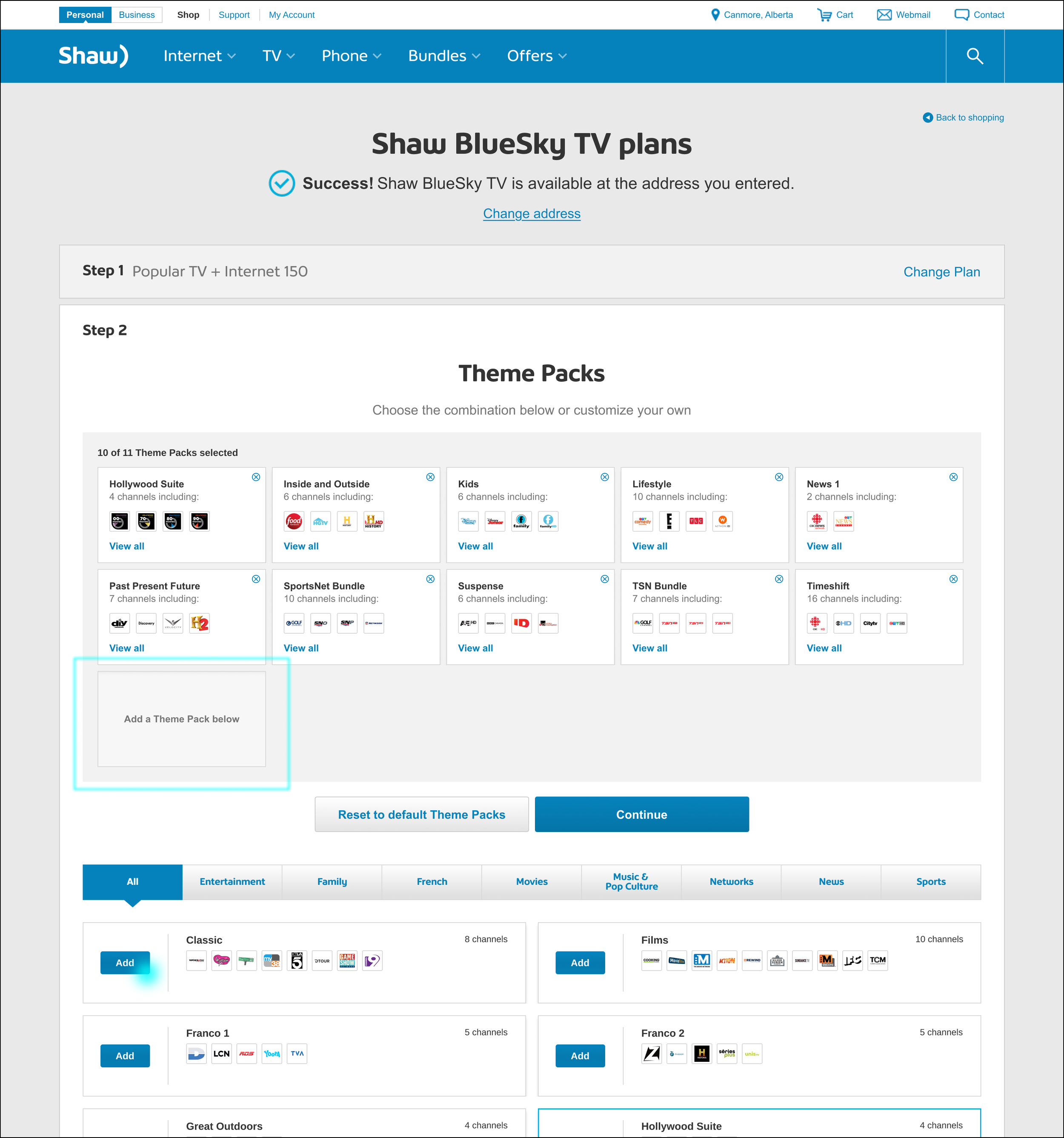
3/3 — When all slots are full, their options are to “Remove” any selected Theme Pack. The customer can also reset to default, or click “Continue” to move on to the next step.
Choose individual channels in site’s existing purchase path
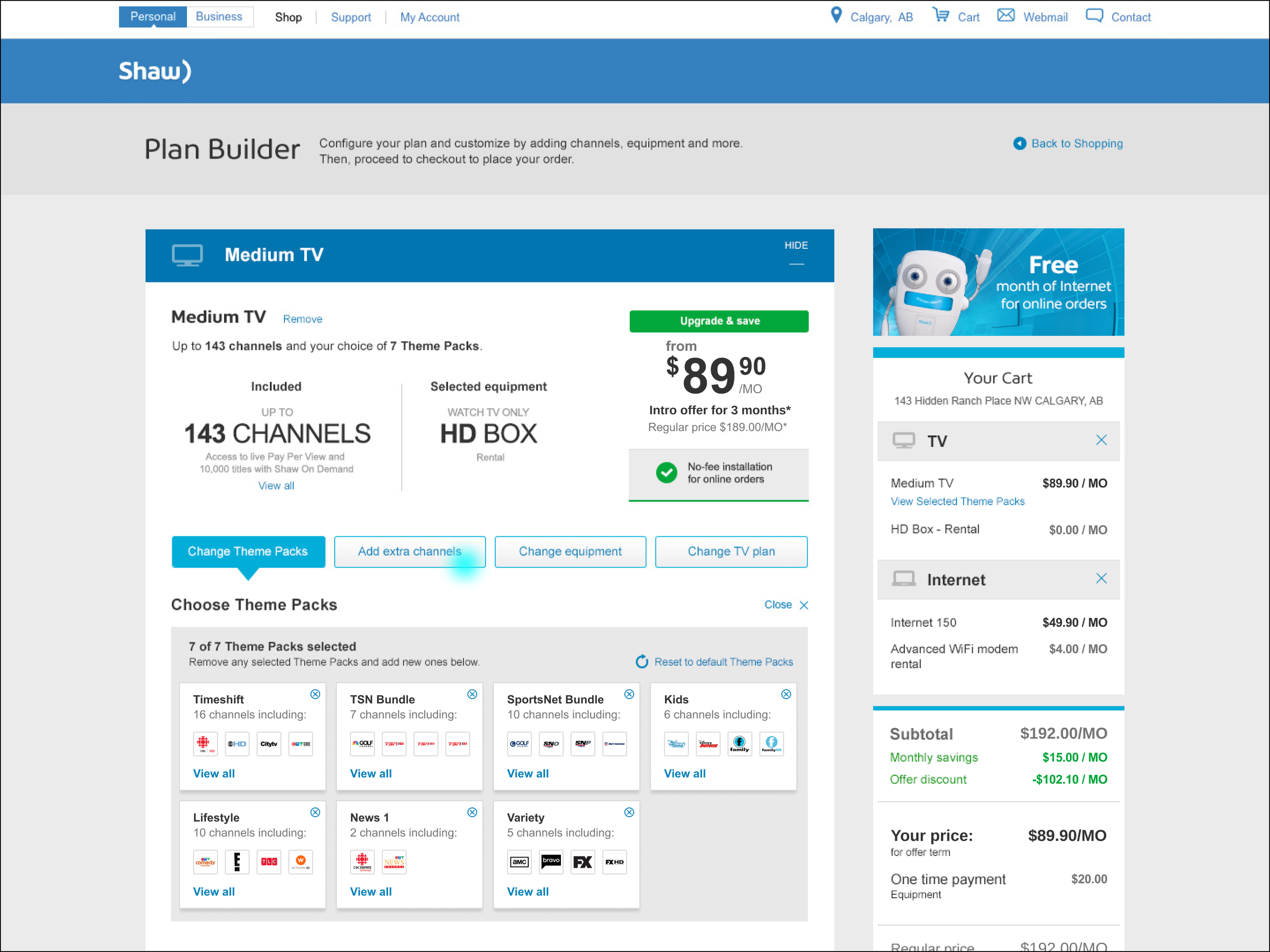
The Channel builder was integrated into the regular e-commerce buyflow. Customers can now pick and choose individual channels to subscribe to, generally. However not all channels could be picked individually; some required linking due to regulations.
1/3 — In the regular shopping experience, a customer is presented with options to personalize their product choices. They can select individual channels by pressing “Add extra channels”.
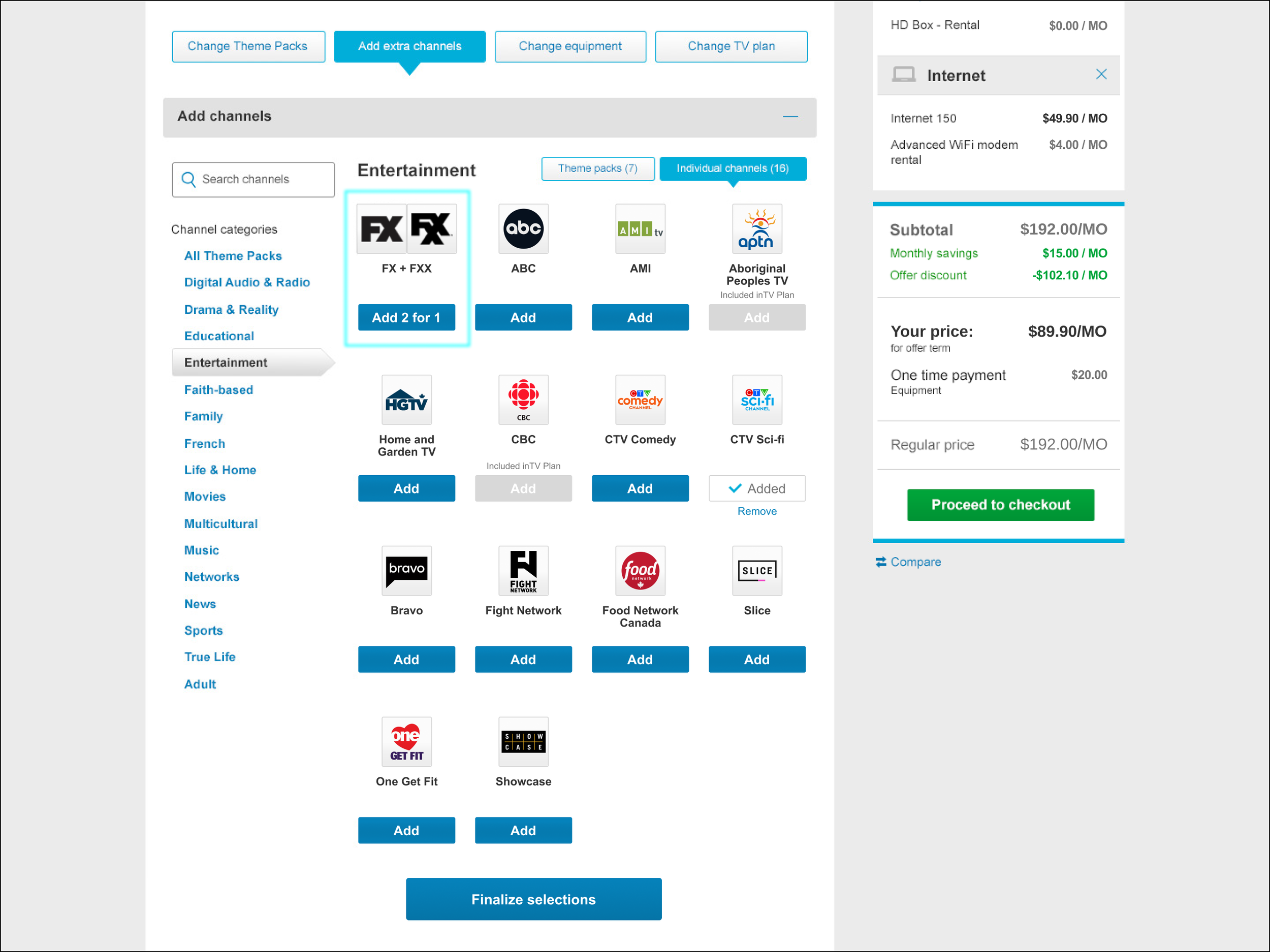
2/3 — The content area switches to show categories down the left side and channel selections where a customer can add them to their package. FX and FXX is an example of how channel linkages were handled.
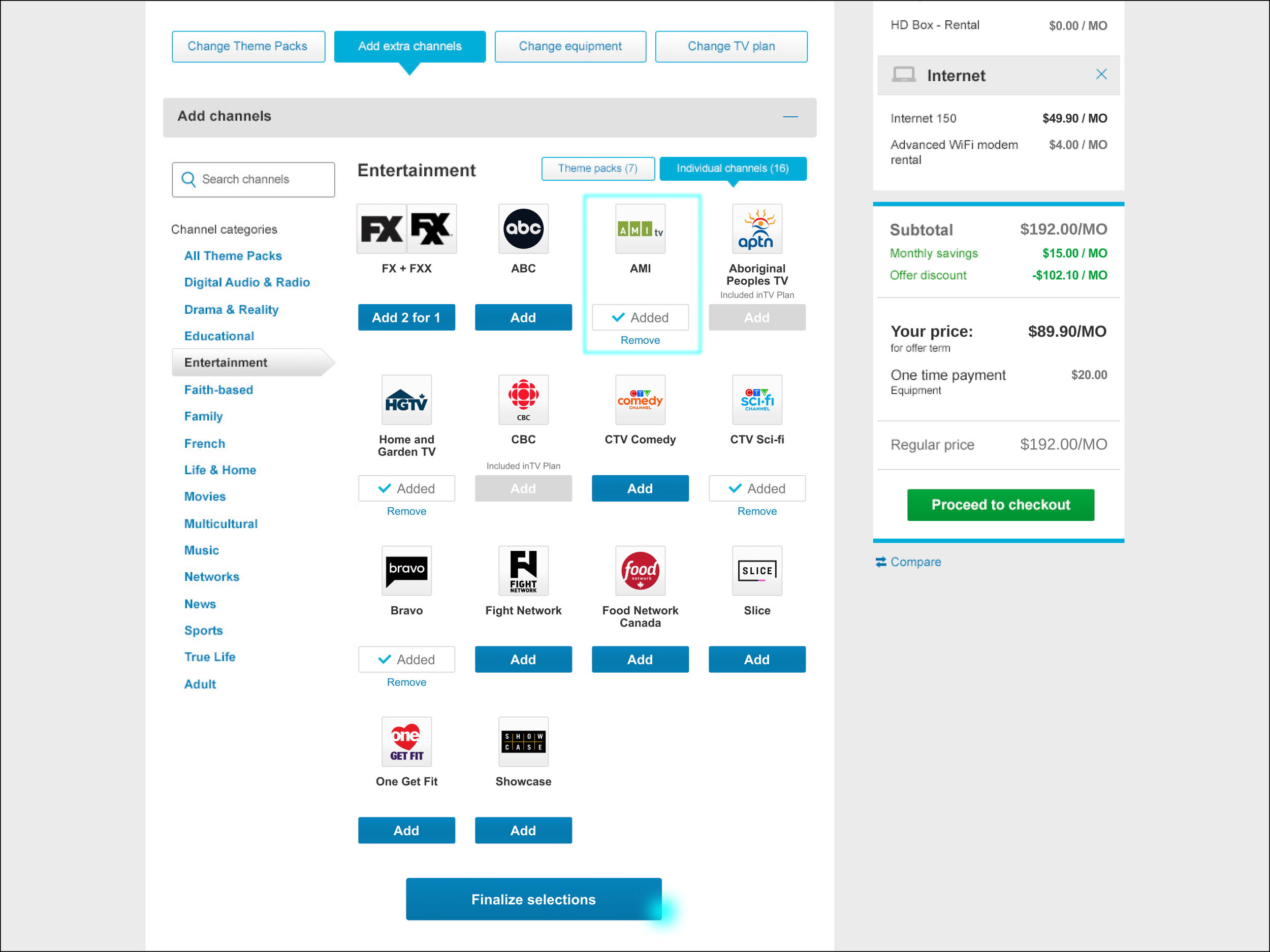
3/3 — When a user adds a channel, the status is displayed as “Added”. There is a link to remove if the customer changes their mind. When they’re done, they simply click “Finalize selections”.
Consistent marketing on core site and built for responsive
Design libraries were built to provide consistency across the digital platforms, and all experiences were designed for mobile.
1/2 — A customer needed to be able to browse, select, and check out on any device. Information had to be laid out and consumable on mobile.
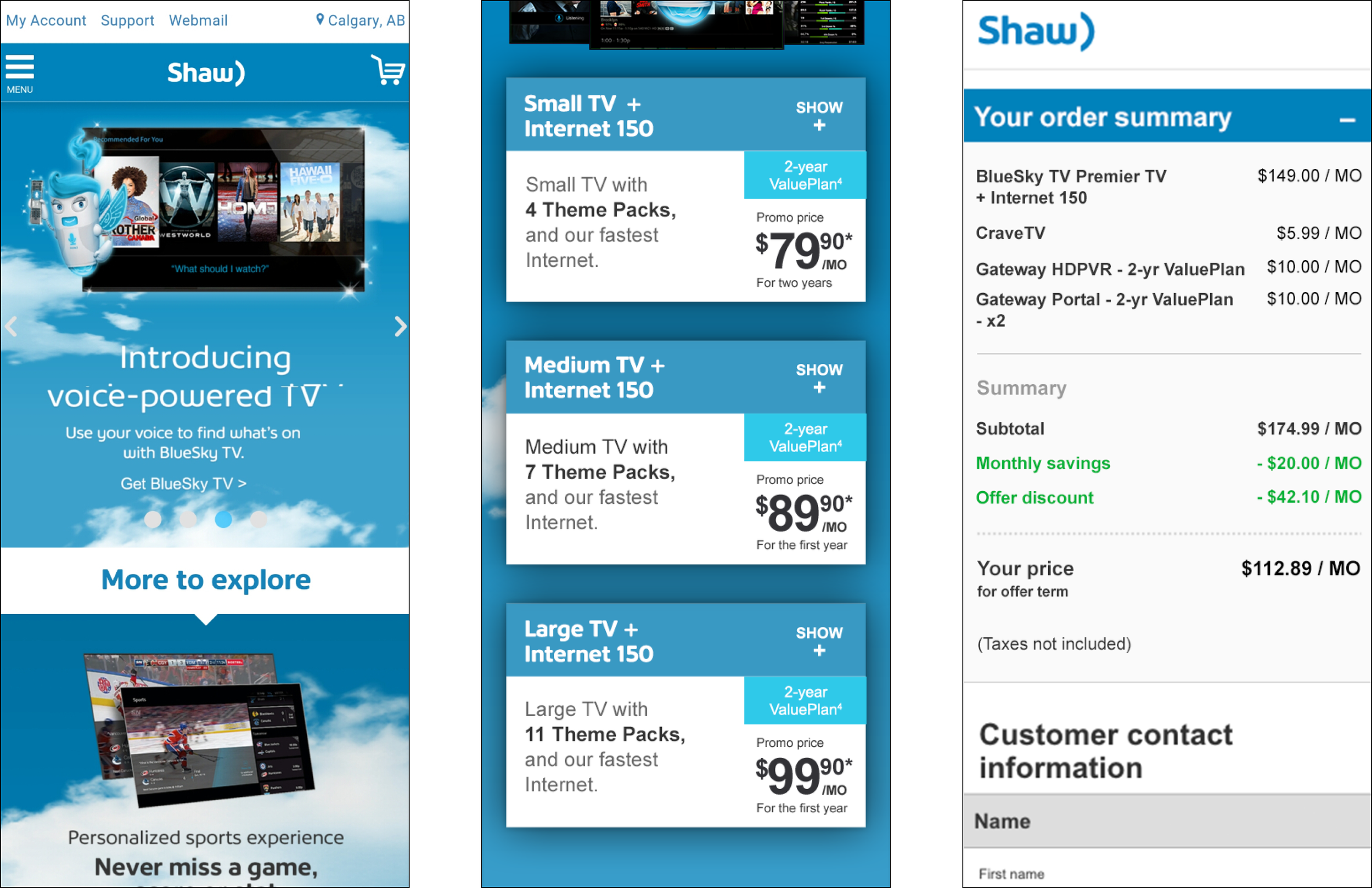
2/2 — During checkout, choosing channels was challenging given limited space. Allowing for search and category selection helped decrease vertical height for customers selecting channels.